• Home
  • Start
  • Content
  • About
  • PDF Version
  • DE
  1. Image Defects
  • Start
  • Why?
  • Basics
  • Photo Subjects
  • Image Composition
  • Image Defects
  • Experimental
  • Technical Matters
  • Analog Photography
  • Presenting Pictures
  • Legal Issues

On this page

  • Image Defects
    • Image Content
    • Exposure
    • Blown-out Highlights and Crushed Shadows
    • Motion Blur
    • White Balance
    • Keystoning / Converging Lines
    • Lens Flares
    • Diffraction
    • Chromatic Aberration
    • Rolling Shutter
    • Photo Manipulation

Image Defects

Sometimes digital cameras are overwhelmed, resulting in image defects. Some of these can easily be avoided or corrected later.

Image Content

It often happens that you only notice what you actually captured much later when viewing an image. A typical example is a beautiful building facade where, upon later inspection, you discover a row of trash cans in front of the houses. Sometimes, however, it is simply impossible to change the shooting location. In such cases, the image can be improved afterward by cropping. Strictly speaking, this is already considered photo manipulation.
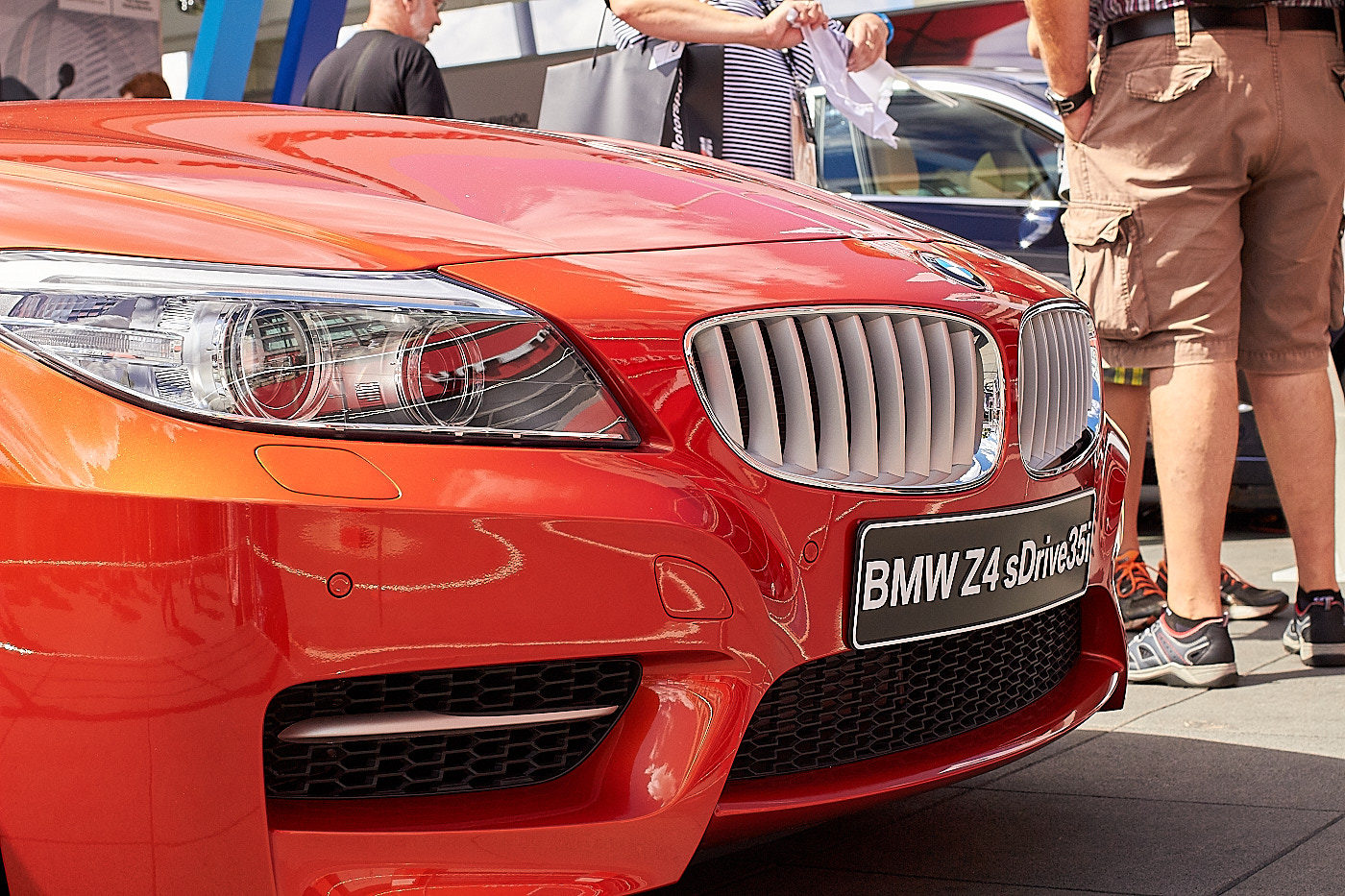
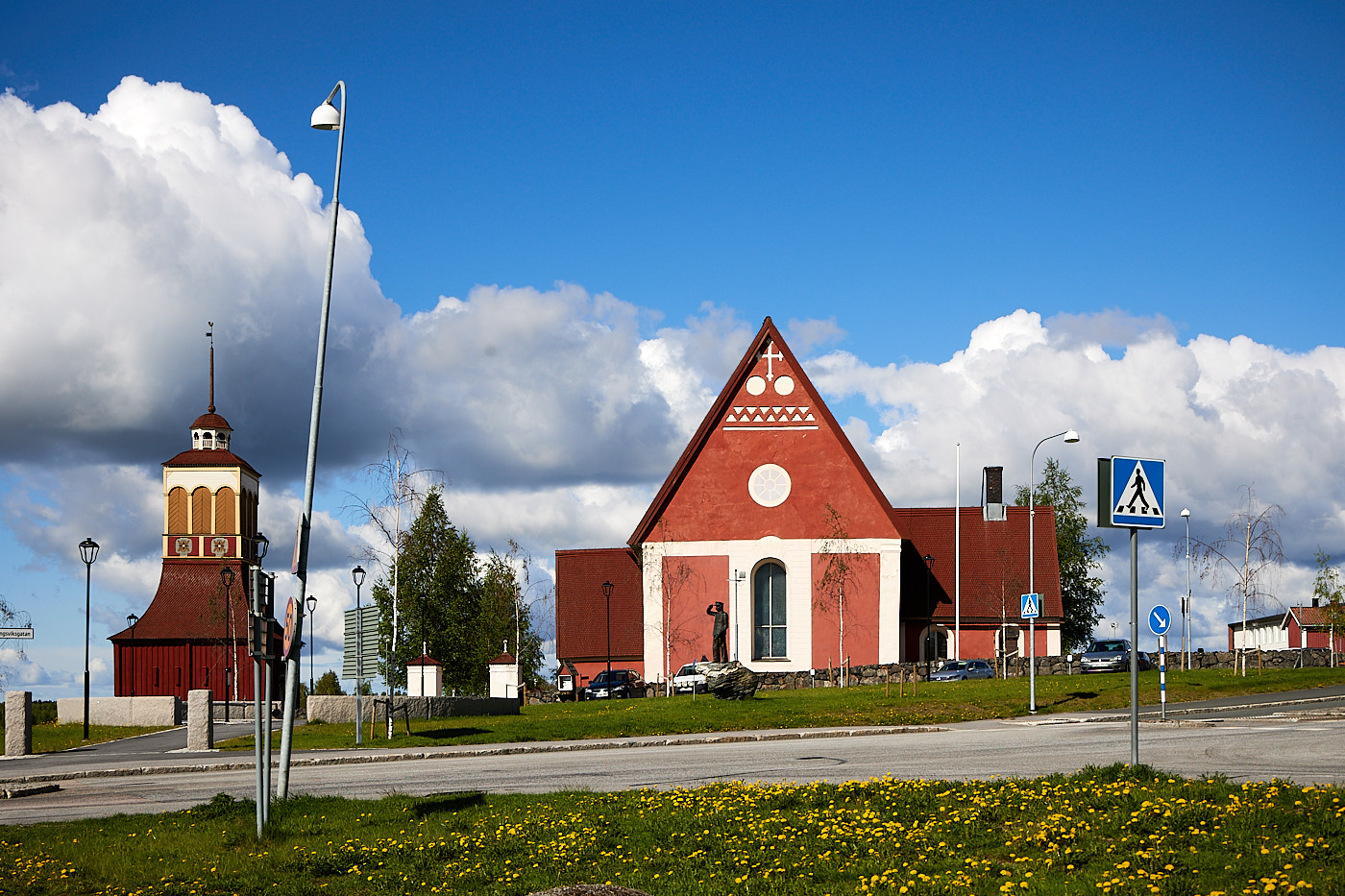
Fig. 1: The people in the background are distracting.
Fig. 2: The crooked lamp is distracting.
TipCheck the surroundings of the main subject before taking the photo.

Exposure

One of the most common image defects is incorrect exposure. Either the automatic mode failed, or you forgot to set the correct camera mode yourself. Incorrect exposures can be corrected afterward. On some cameras, this can even be done right inside the camera. However, it works better with photo software, and it works exceptionally well if you shoot in RAW.
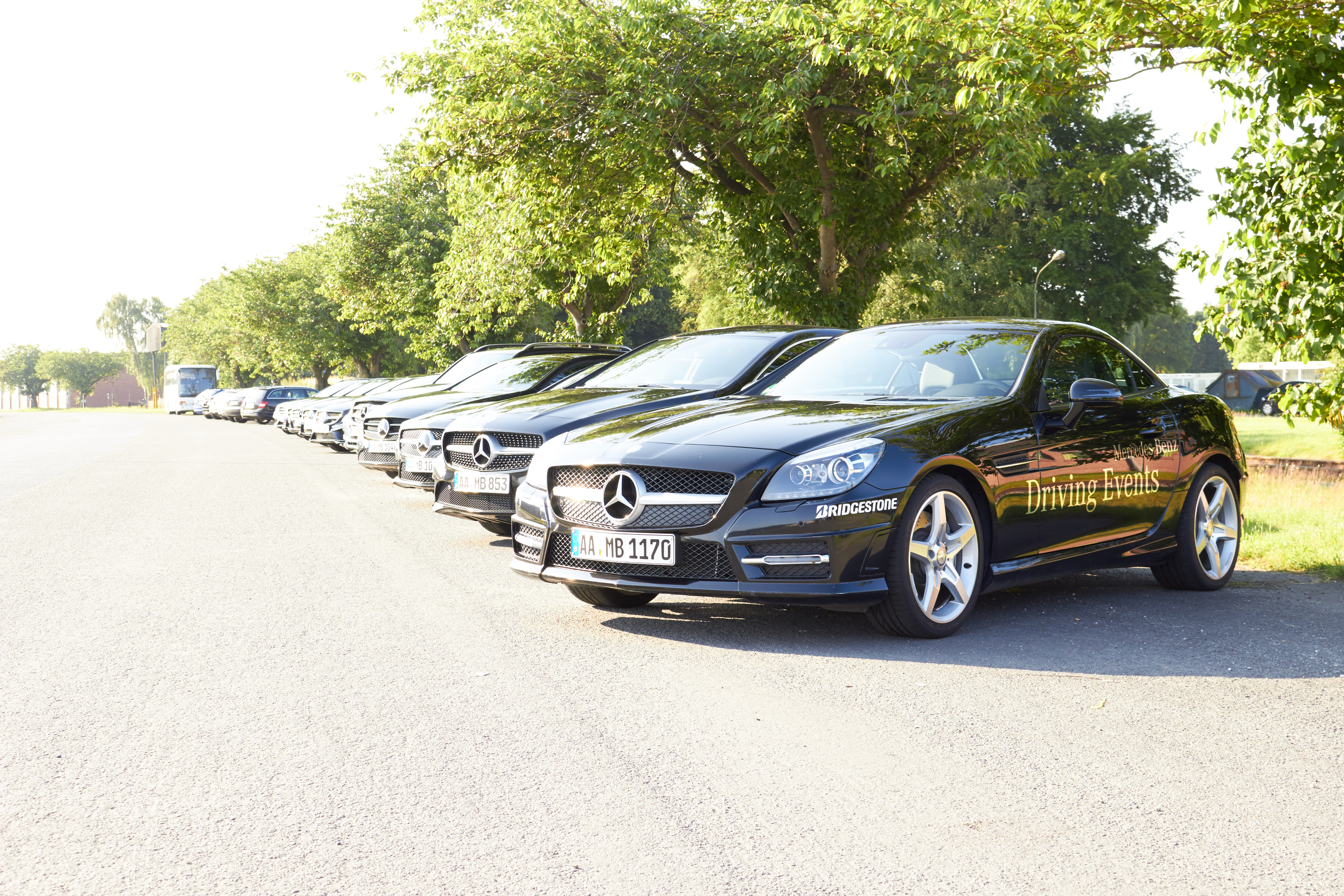
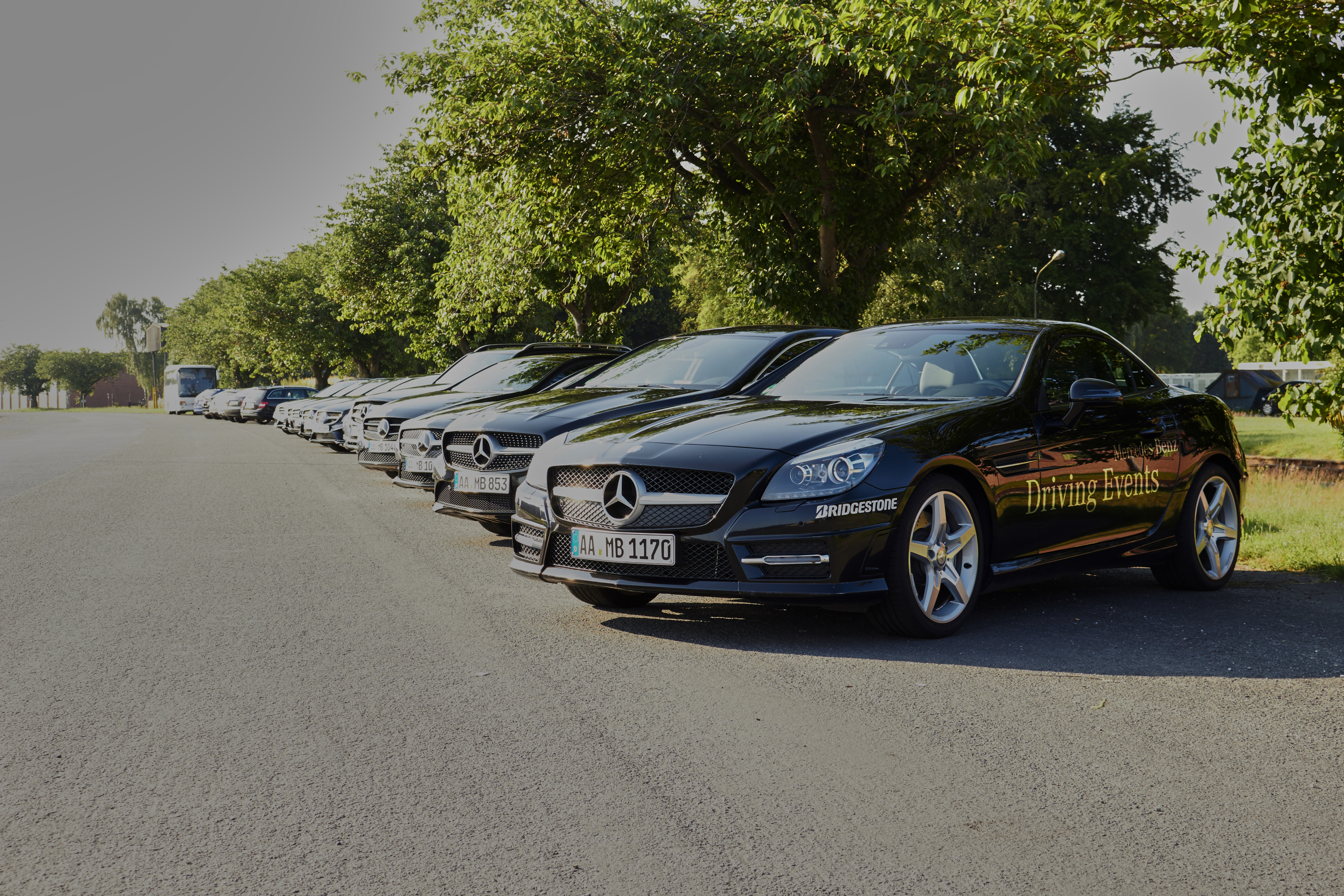
Fig. 3: Incorrect exposure. The entire image was captured too bright.
Fig. 4: Correction of the JPG. The heavily overexposed sky cannot be recovered.
Fig. 5: Correction of the RAW. The image is saved.

Blown-out Highlights and Crushed Shadows

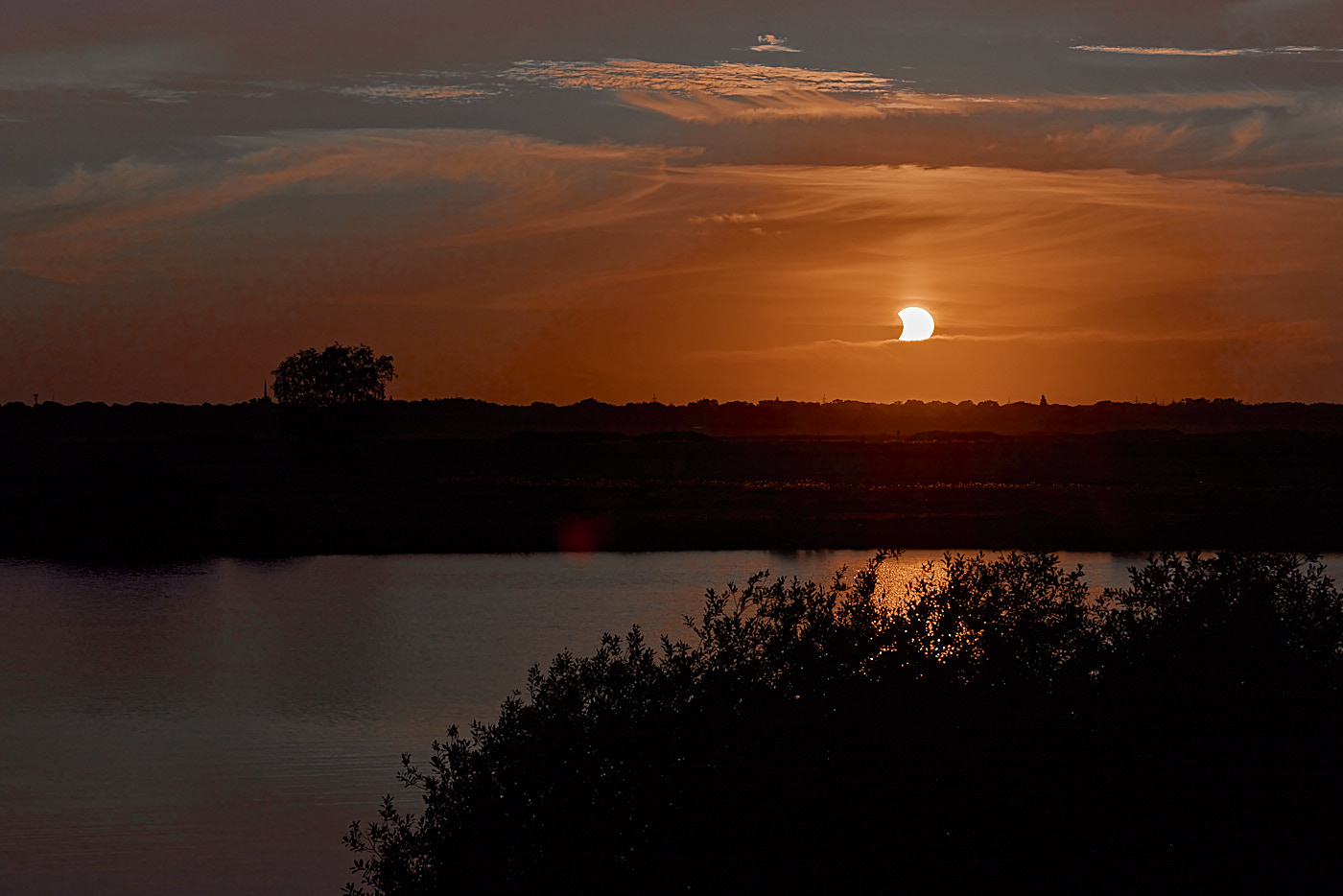
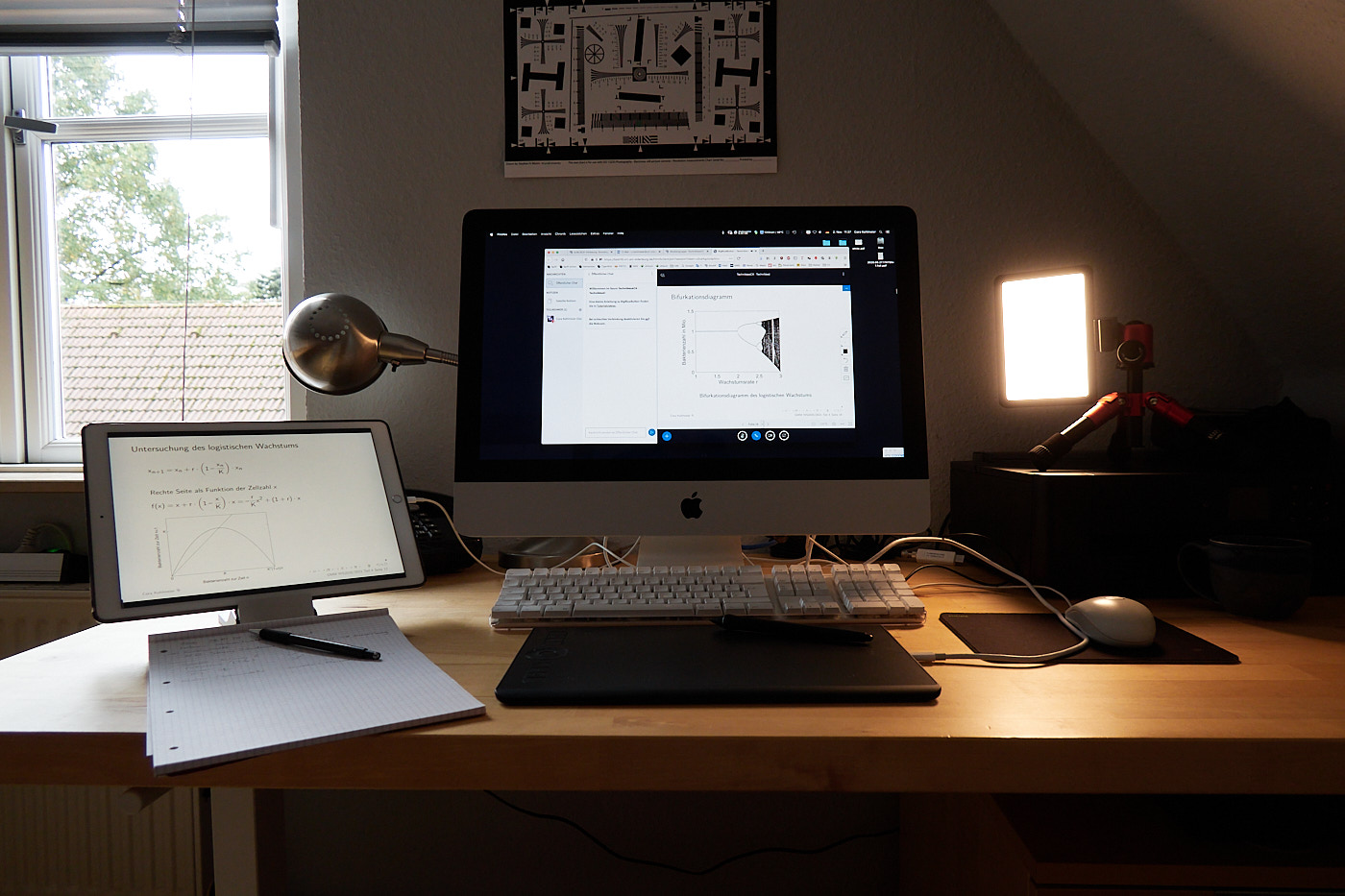
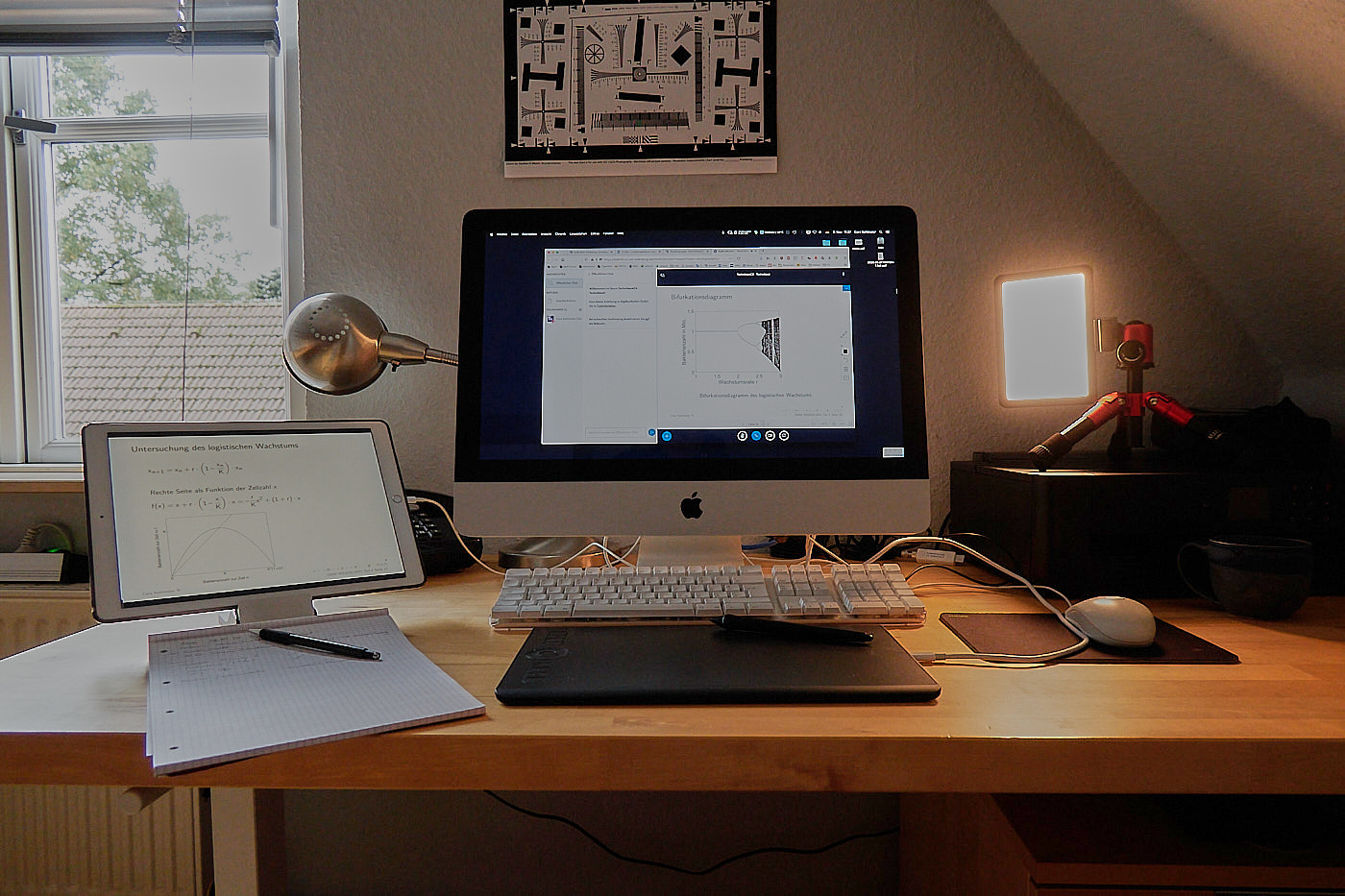
When a subject features very high contrast and differences in brightness, bright areas can blow out. This means they appear completely white, even though our eyes can still see variations in brightness. Similarly, dark areas can become crushed. This means they are captured completely black, even though we can still see shades of gray. In any case, it helps to shoot images in RAW format, as these defects can be corrected within limits later on.

Some subjects are extremely bright in certain areas and very dark in others. They are said to have a high dynamic range. A camera’s sensor can only capture this to a limited extent. This leads to crushed shadows or blown-out highlights without you having made a mistake during exposure. The remedy here is to shoot in RAW format and process the image afterward using photo software. If your camera has an HDR mode, that can be used as well.
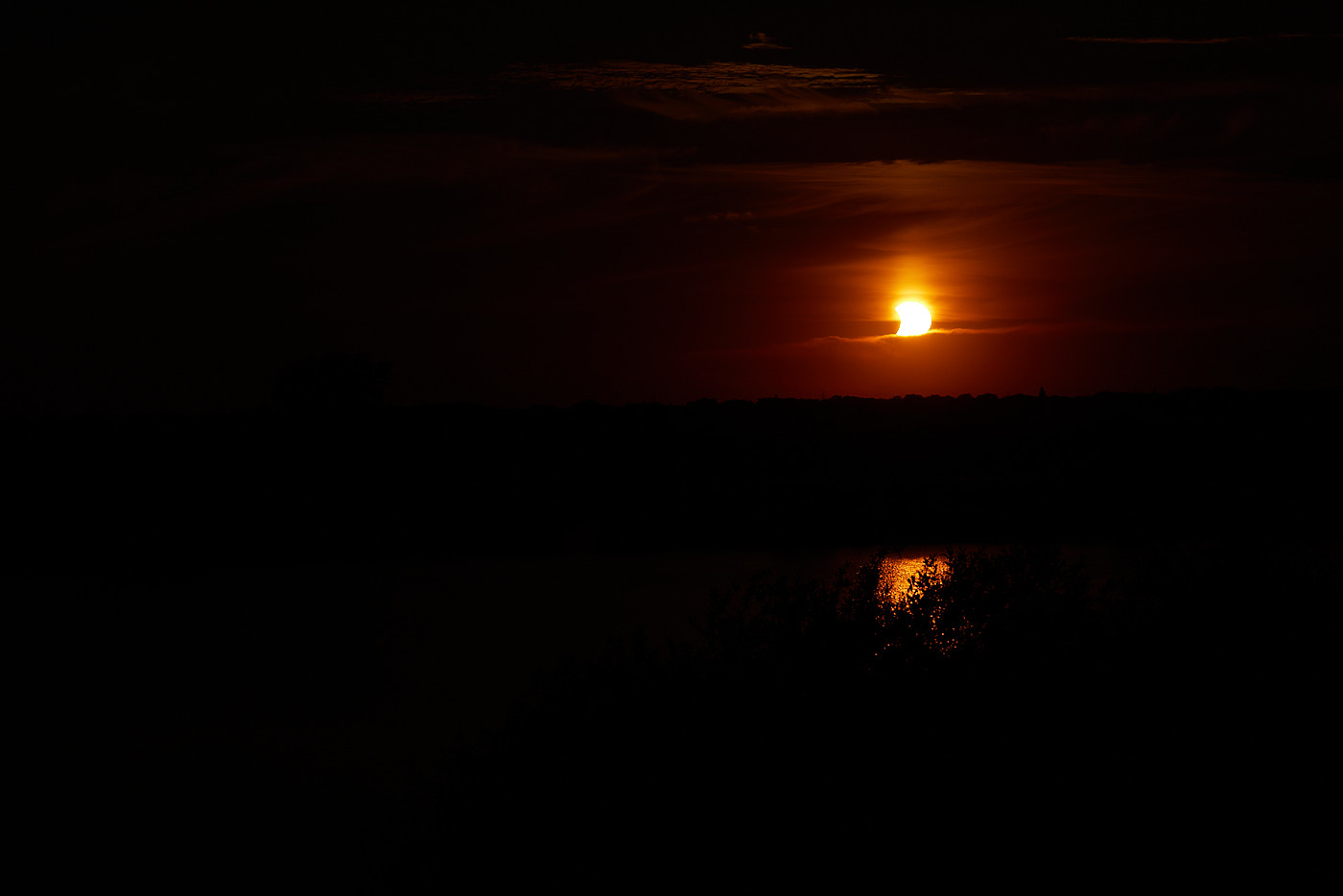
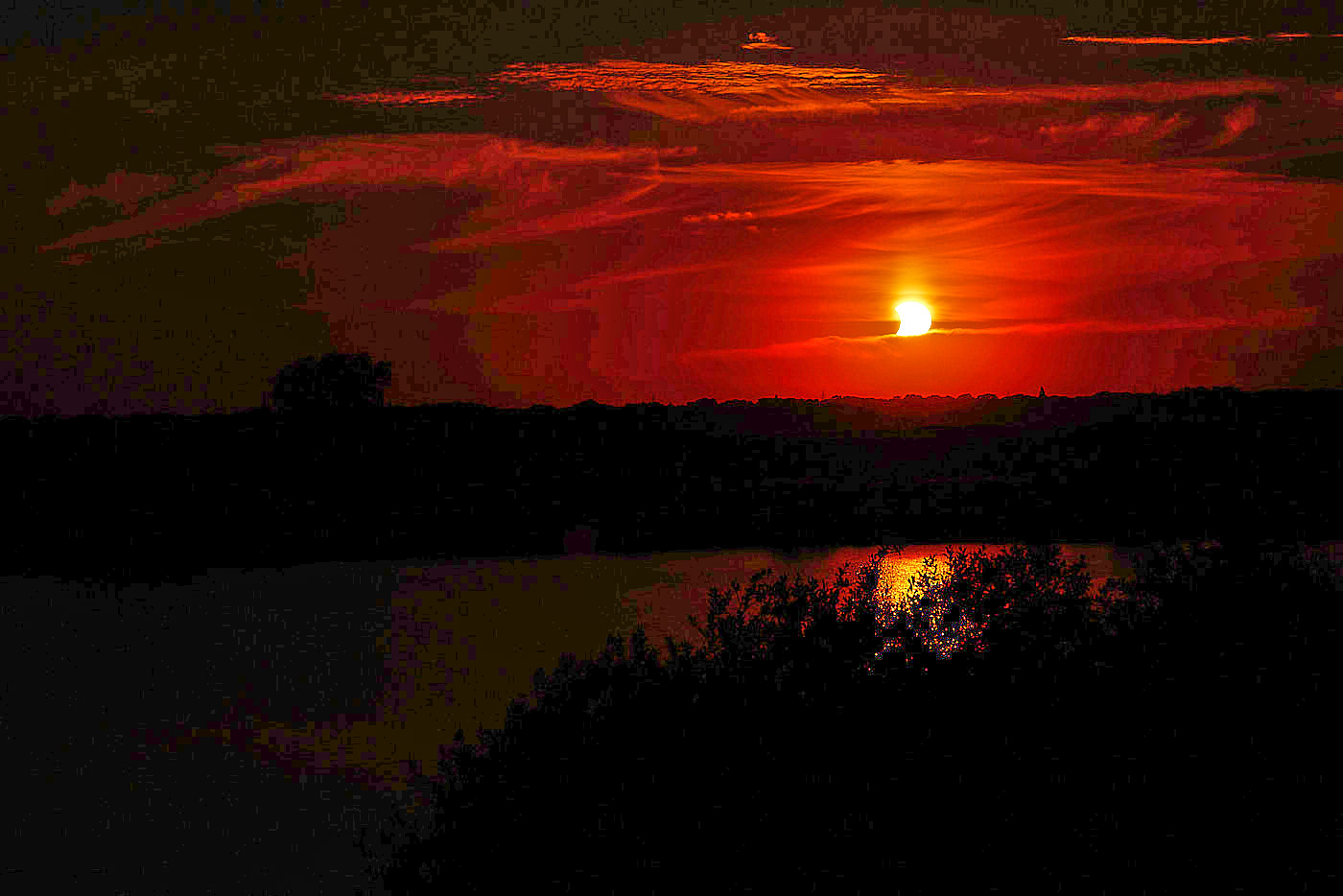
Fig. 6: Solar eclipse August 12, 2026. The exposure was set for the sun; the surroundings are barely recognizable and completely crushed.
Fig. 7: Correction of the JPG. If the surroundings are made visible, the colors are displayed incorrectly.
Fig. 8: Correction of the RAW. The colors are preserved, and the surroundings are realistically rendered.
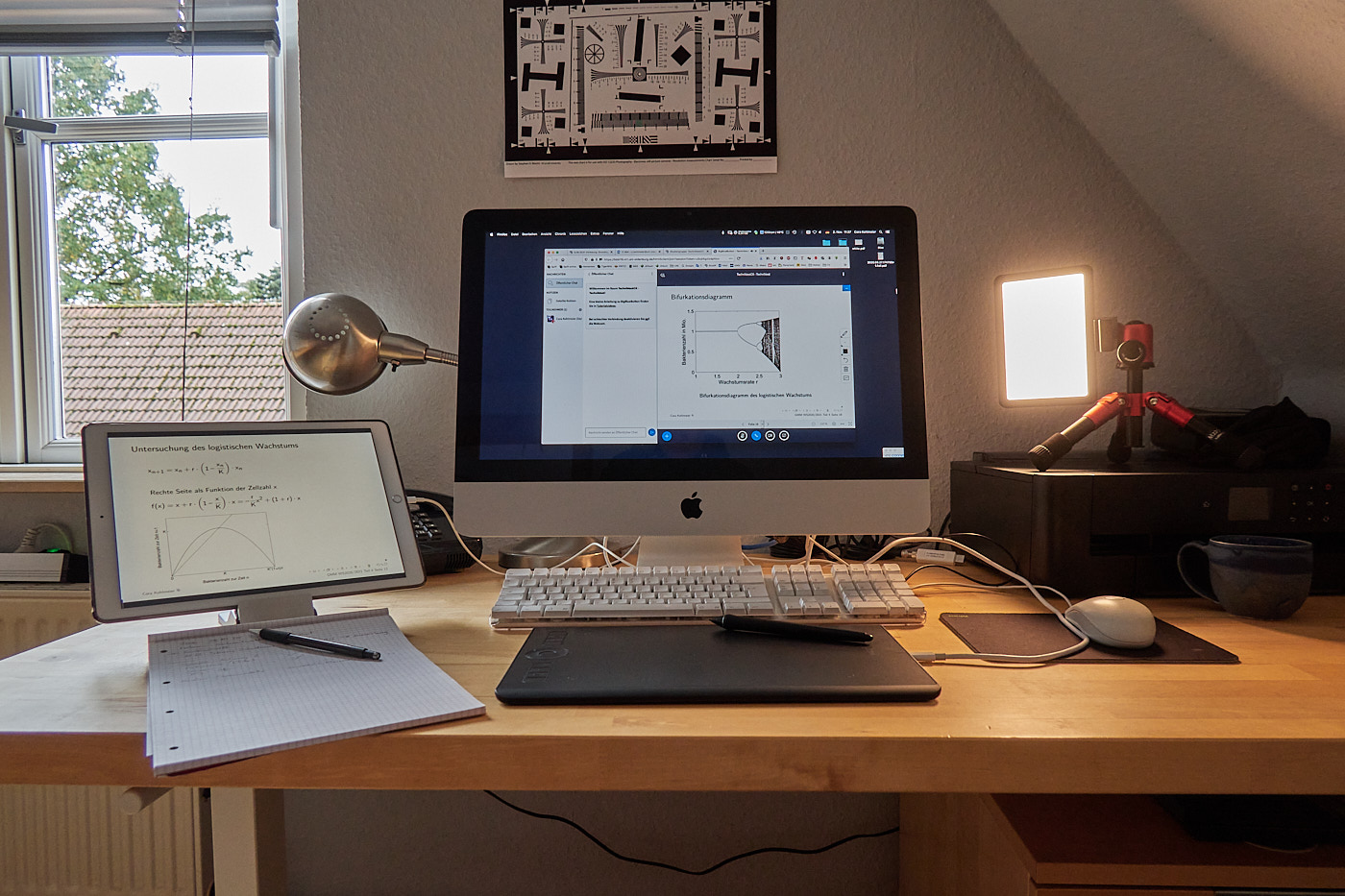
Fig. 9: Workstation for remote learning. The surroundings are too dark; the video light and the window are clipping.
Fig. 10: Correction of the JPG. The sky and the screen content turn gray, and the video light clips even more severely.
Fig. 11: Correction of the RAW. Sky, screen, surroundings, and video light text are correctly rendered.
WarningWhen using HDR mode, only capture stationary subjects and use a tripod!
TipYou can check the histogram to see if the exposure is correct. Some cameras also have the option to mark incorrectly exposed areas on the screen with stripes (zebras).

Motion Blur

Motion blur occurs when either your subject or you yourself move during the exposure. If the subject moves, the rest of the image within the focal plane remains sharp. If the photographer moved, the entire image becomes blurry.
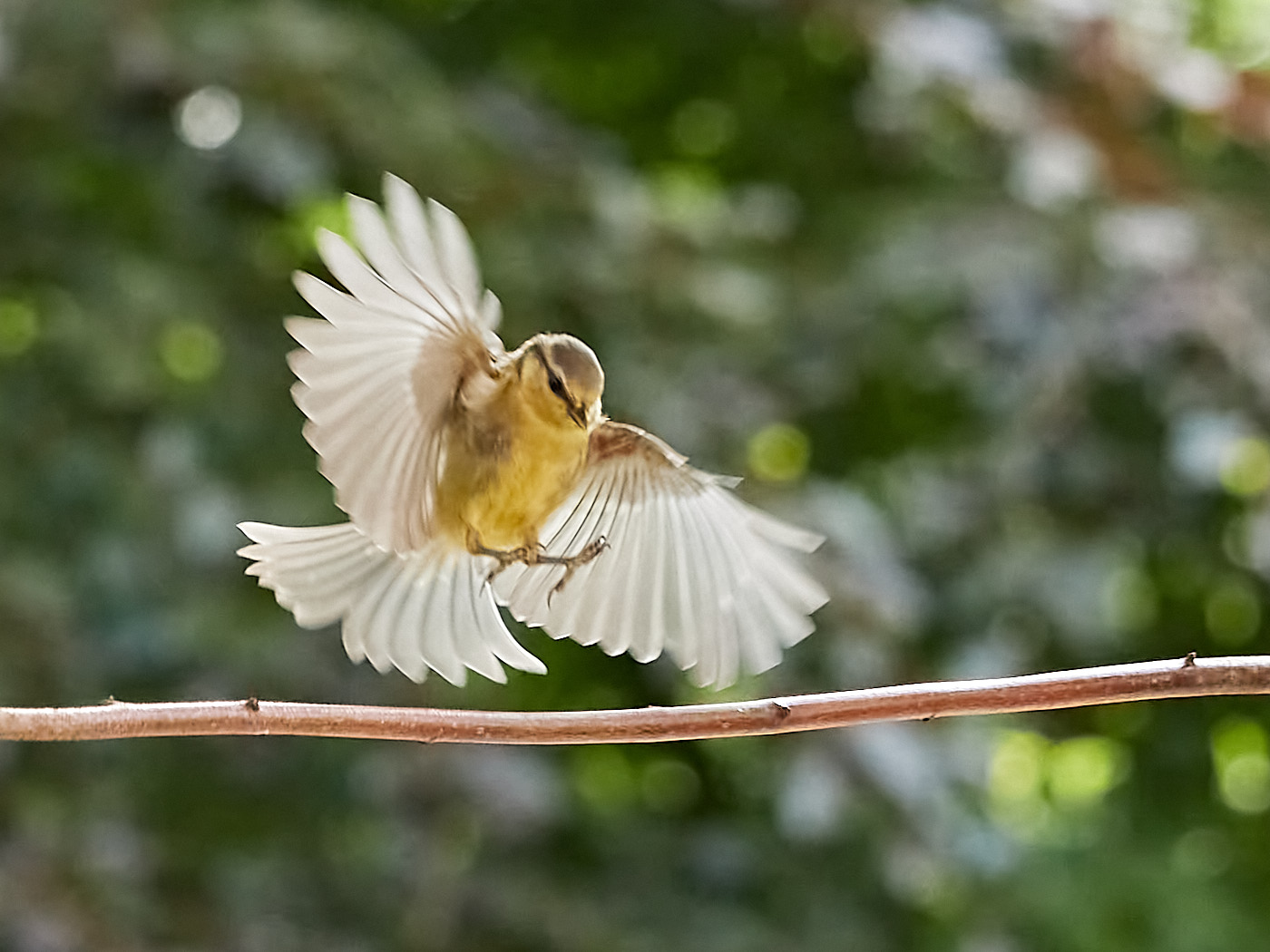
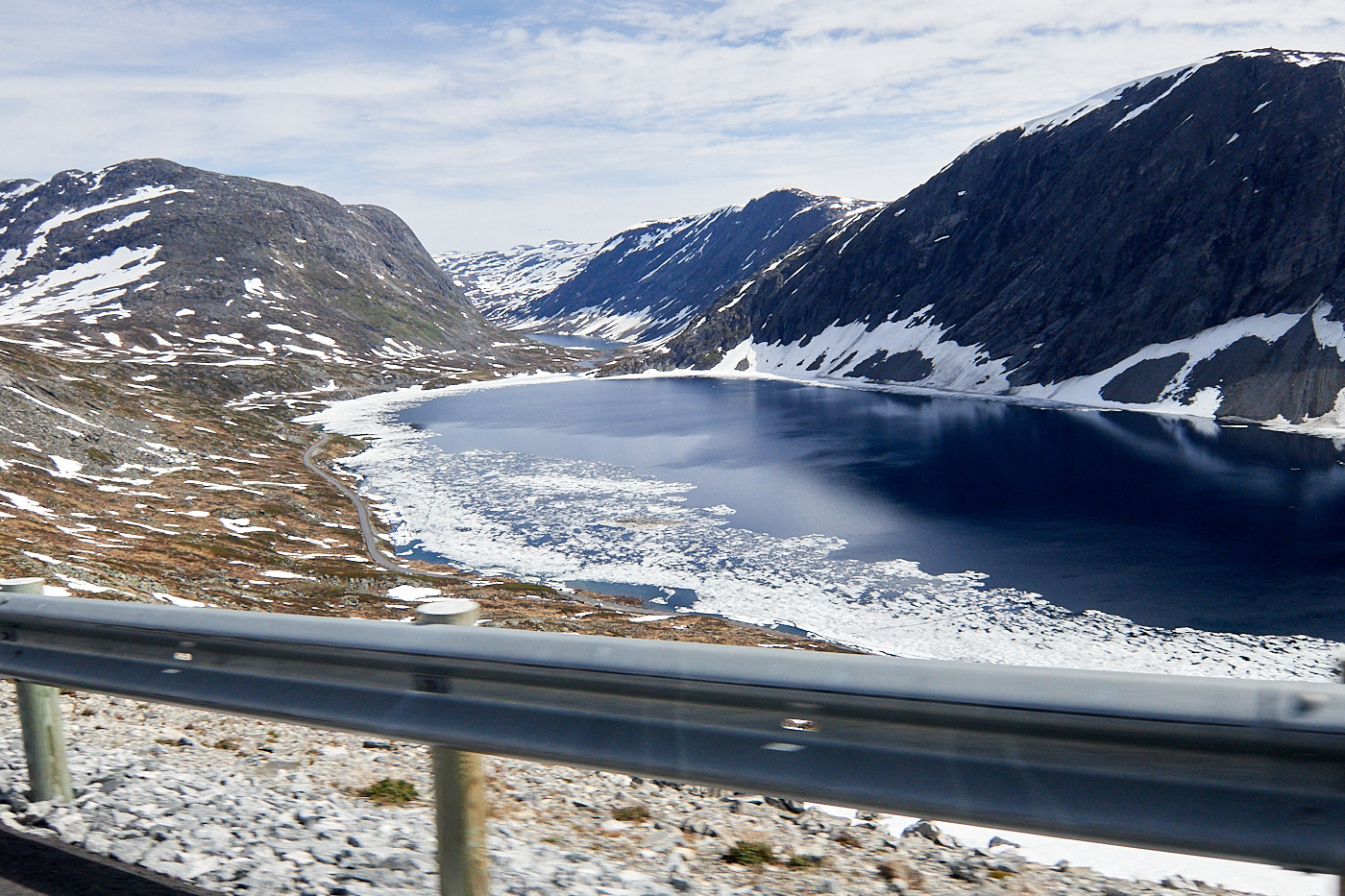
Fig. 12: Even a shutter speed of 1/1000 s is not enough for a titmouse in flight. However, the motion blur makes the image look more dynamic.
Fig. 13: Shot taken from a moving car. The blur is visible on the guardrail.
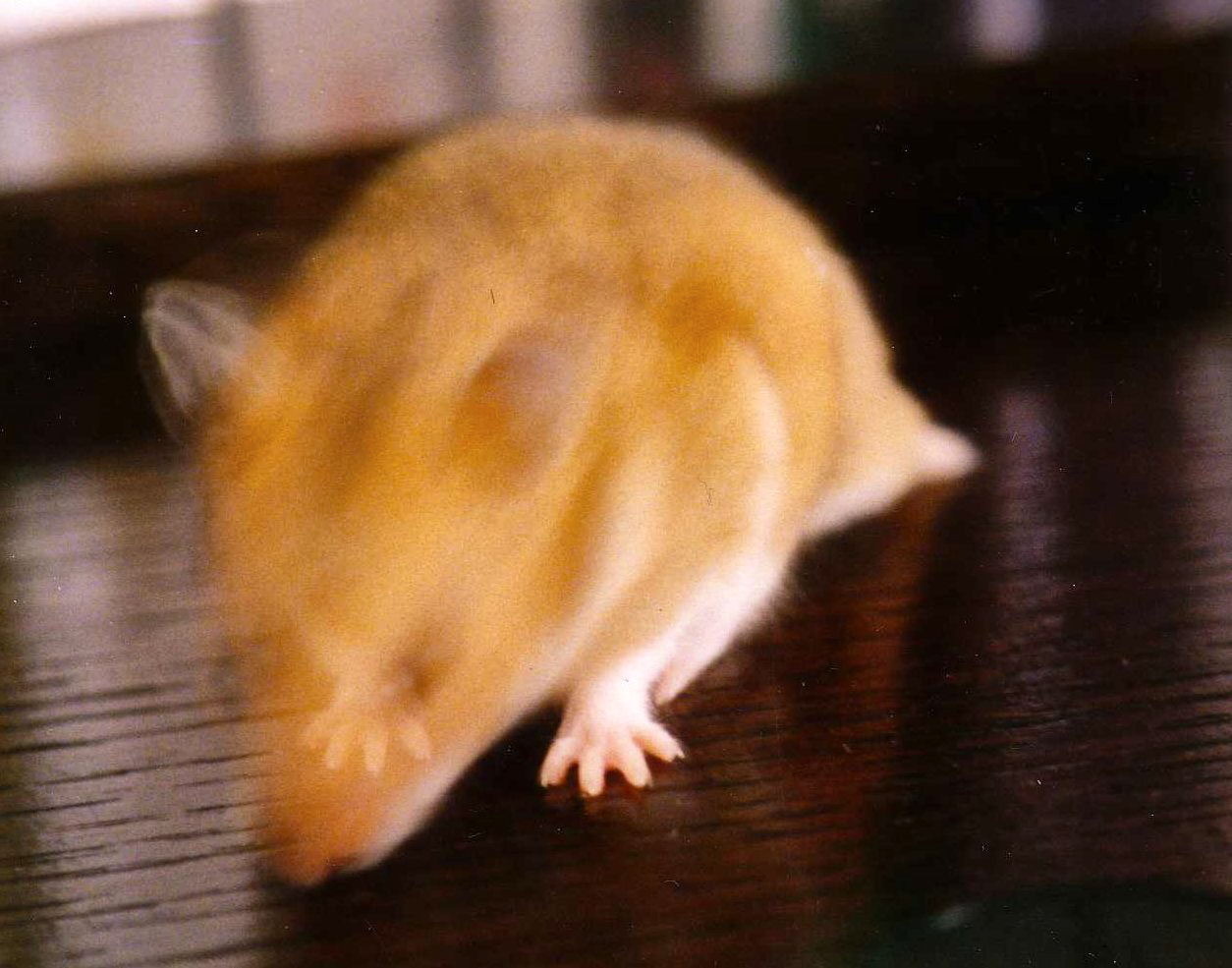
Fig. 14: The shutter speed was too long for Hannibal, the hyperactive golden hamster. (Analog shot)
TipShorten the shutter speed and increase the ISO.
TipUse a tripod if a long shutter speed is desired and the subject is stationary.

White Balance

It can easily happen that you forget to change the white balance (WB) when the ambient light changes. This is not a big deal if you shoot in RAW. In that case, you can correct the image afterward. With a JPG, this is only possible to a limited extent.
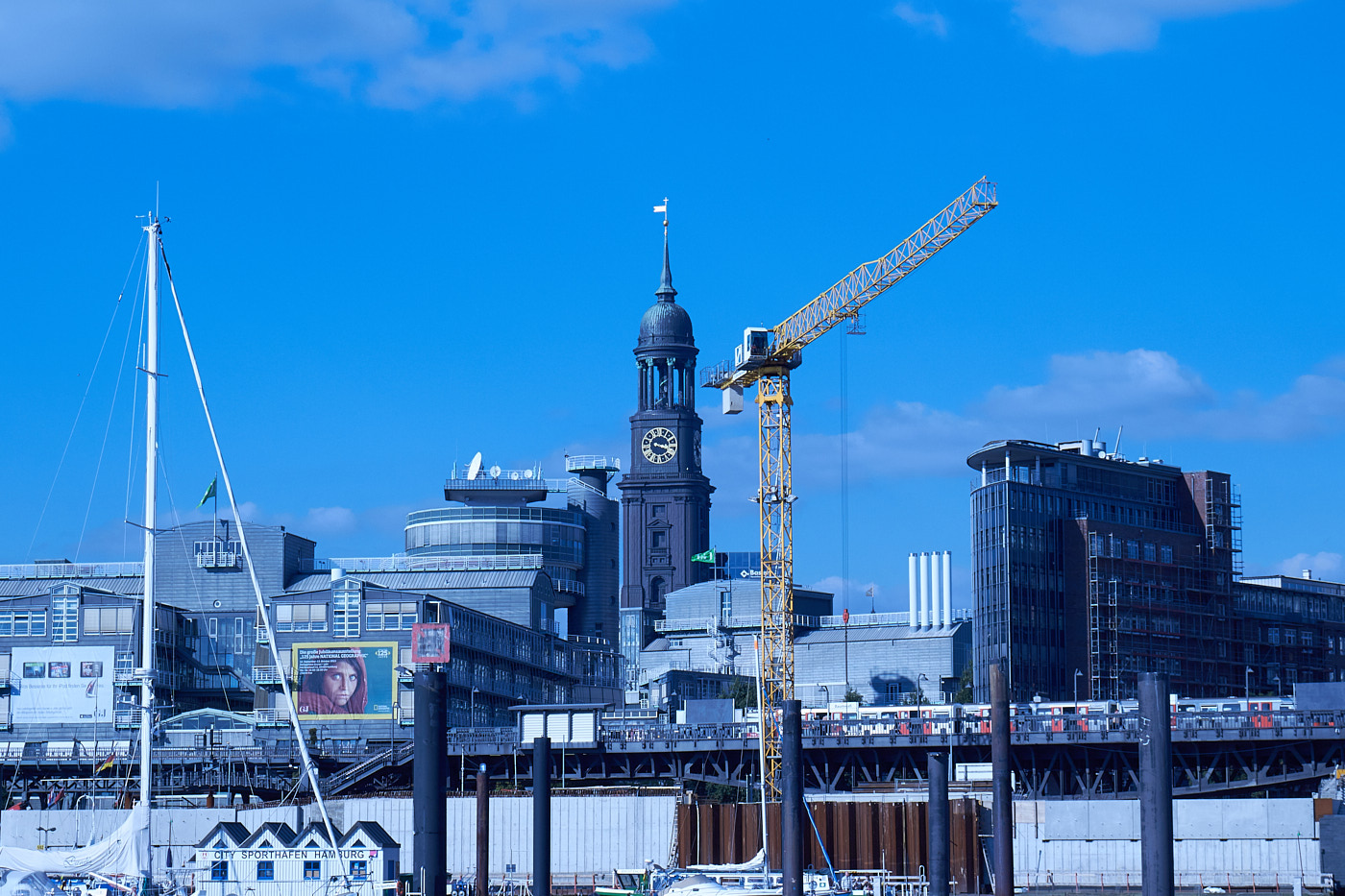
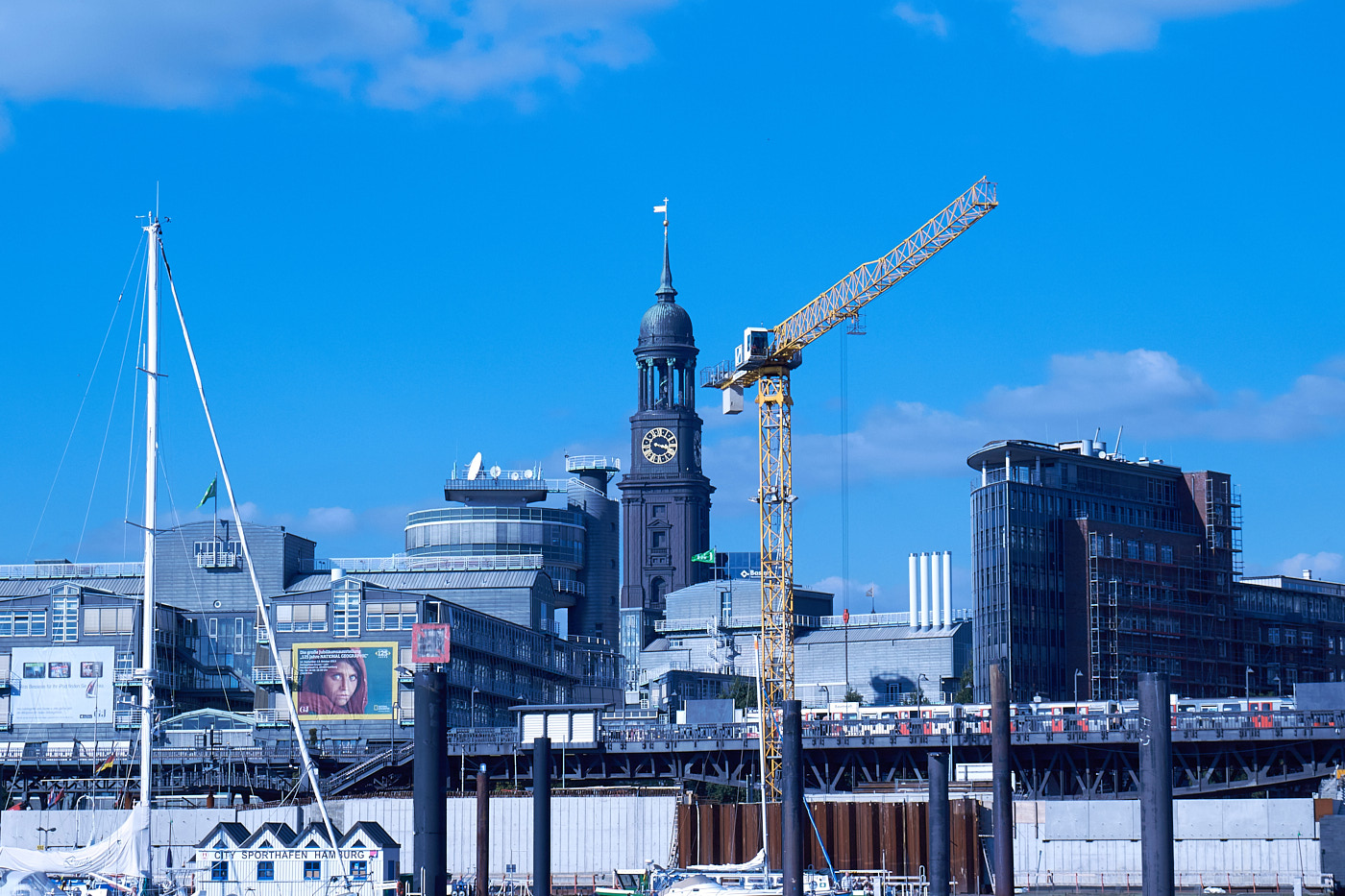
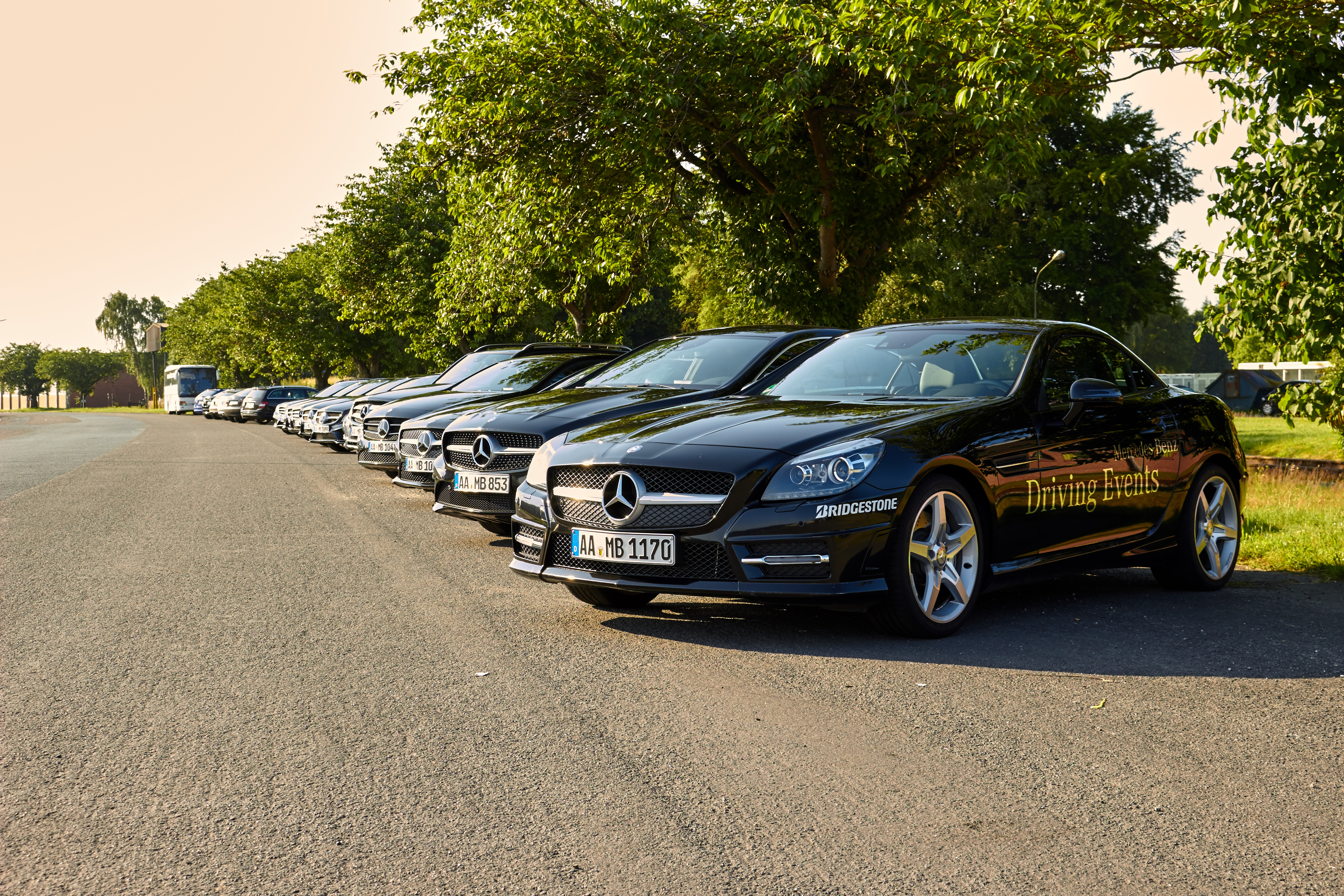
Fig. 15: Incorrect white balance
Fig. 16: Correction of the JPG
Fig. 17: Correction of the RAW
TipLet the camera determine the white balance automatically (AWB - automatic white balance) and shoot in RAW.

Keystoning / Converging Lines

Converging lines frequently occur when using ultra-wide-angle lenses. If you leave enough space around the edges, this can be largely corrected later using photo software.
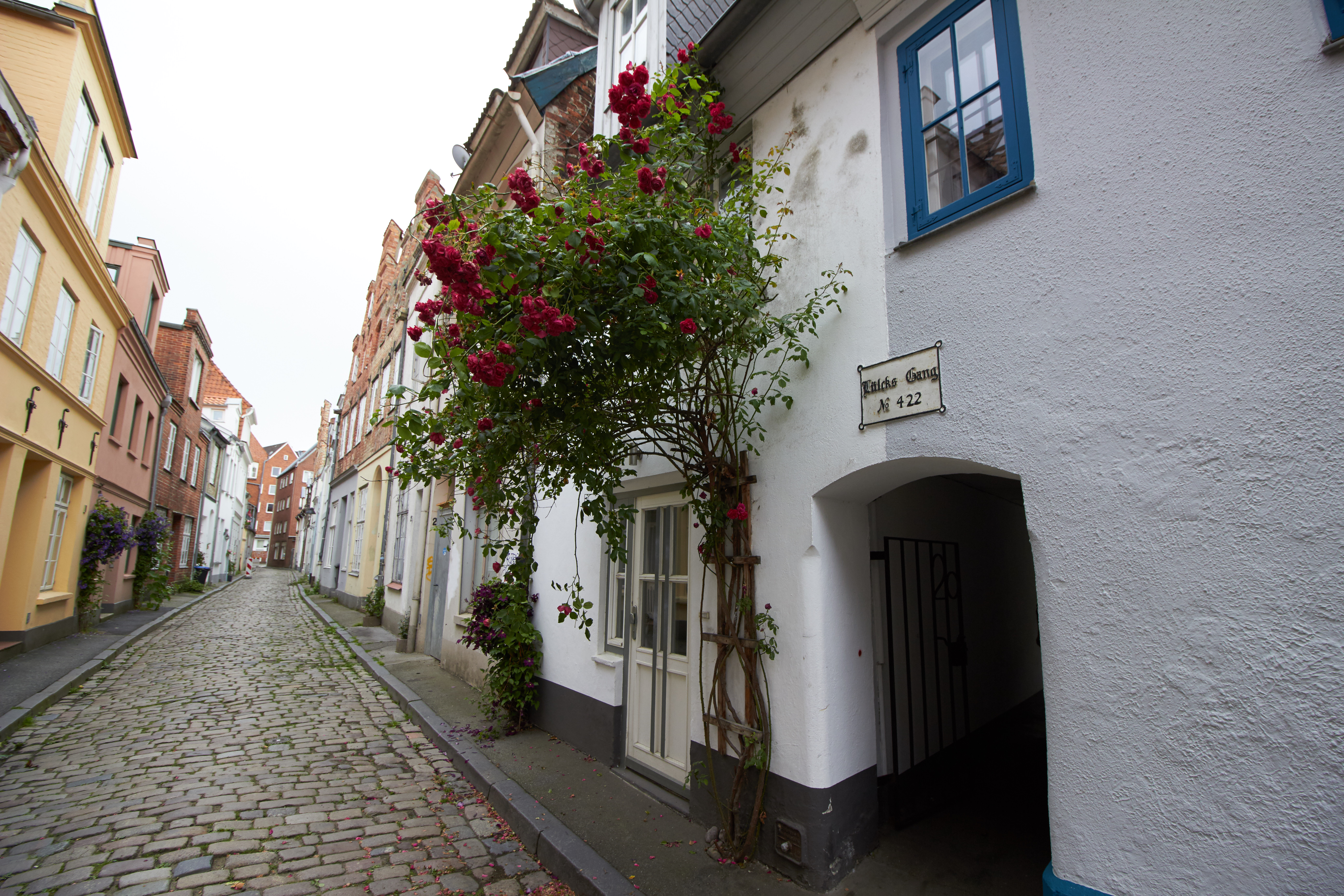
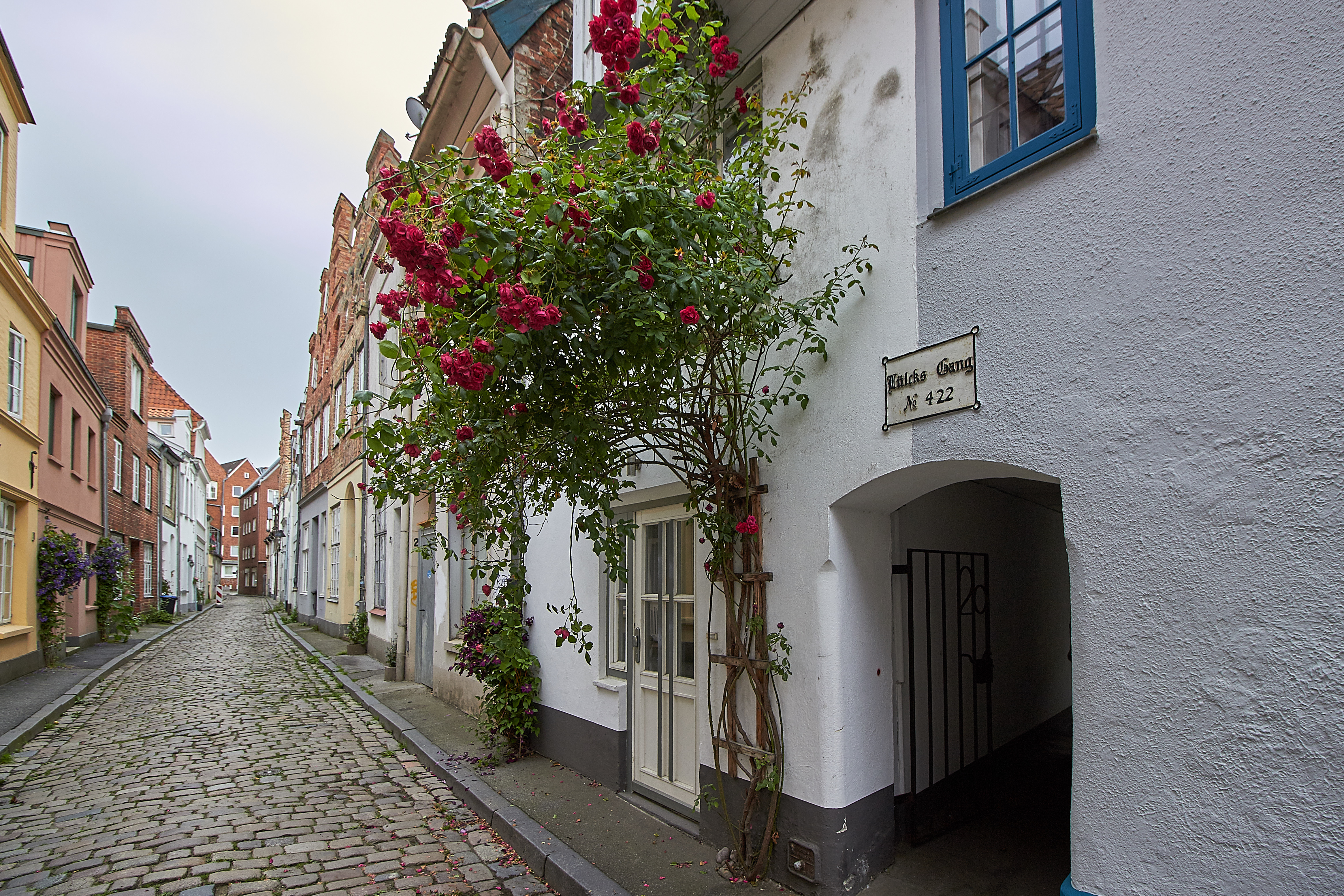
Fig. 18: 10 mm unedited
Fig. 19: 10 mm corrected
TipLeave some space around the actual subject when taking the photo so that nothing of the subject is lost during subsequent correction.

Lens Flares

Flares are reflections caused by stray light. They mostly occur with lower-quality lenses and when shooting against backlighting. They can be reduced within limits by using a lens hood. However, some flares look nice and can jazz up an image.
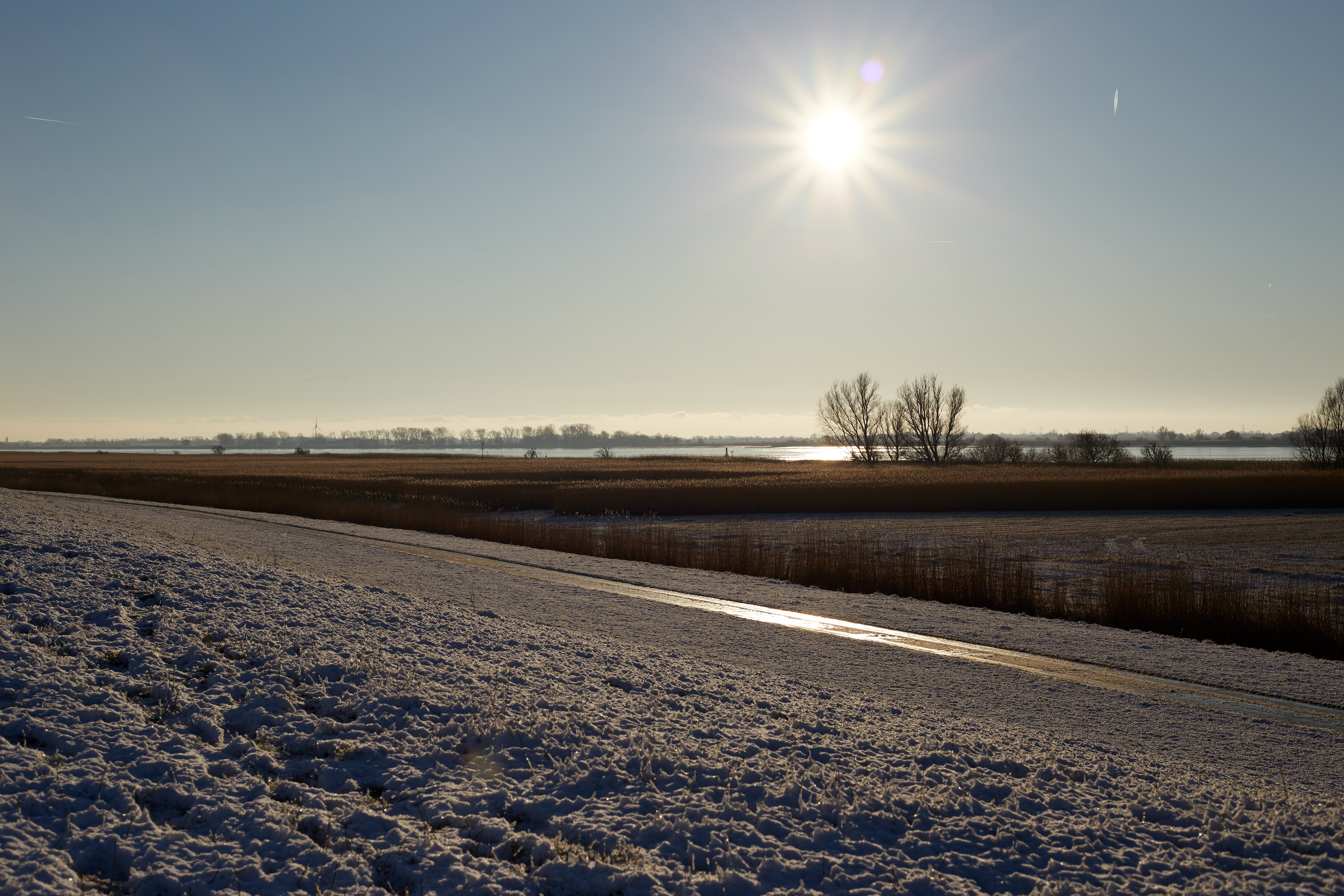
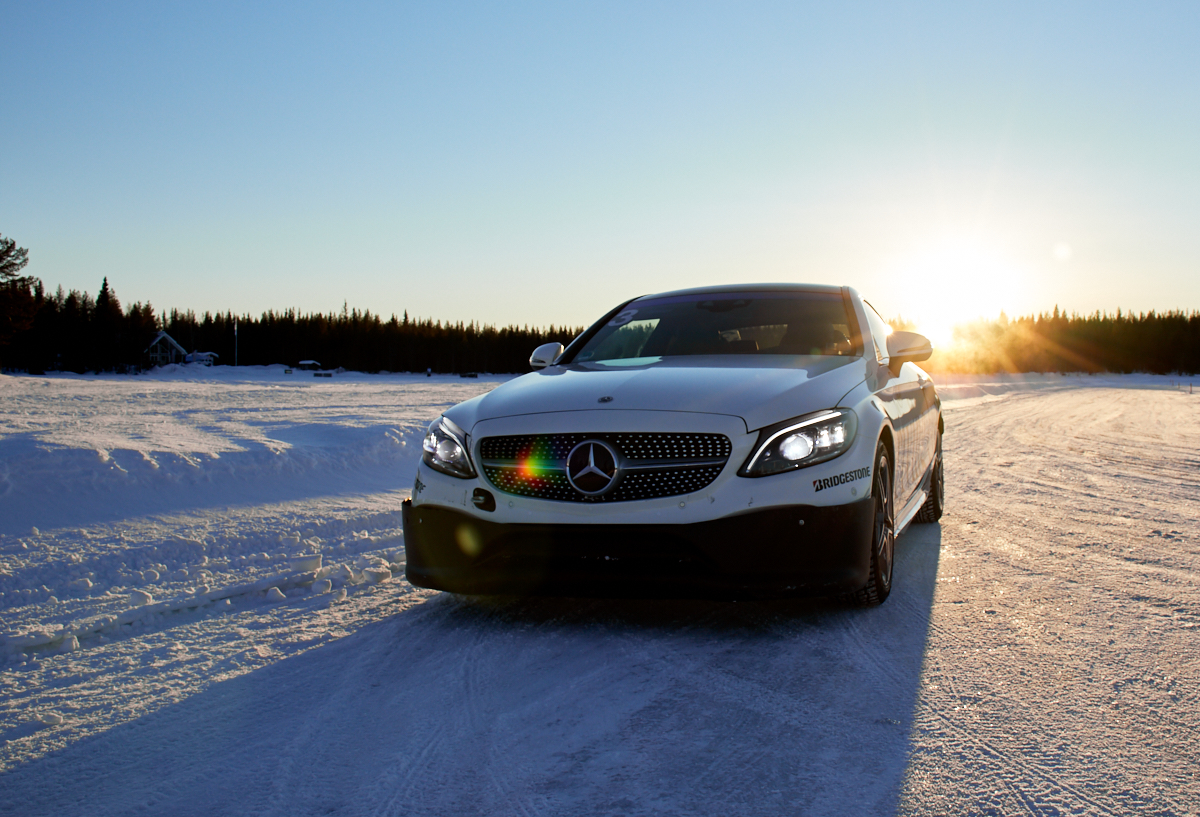
Fig. 20: The small white reflection at the top right and the purple spot above the sun are flares.
Fig. 21: A beautiful flare that displays the entire light spectrum.
Fig. 22: Flare in the lower foreground that looks like a reflection in the image.
TipUse a lens hood to reduce flares.

Diffraction

Diffraction is a phenomenon that causes slight blurriness to appear at small aperture openings. This has nothing to do with misfocusing or motion blur, but with physics. Light waves have the property of spreading out laterally at small openings like the aperture; this is called diffraction. As a result, the image appears very slightly soft.
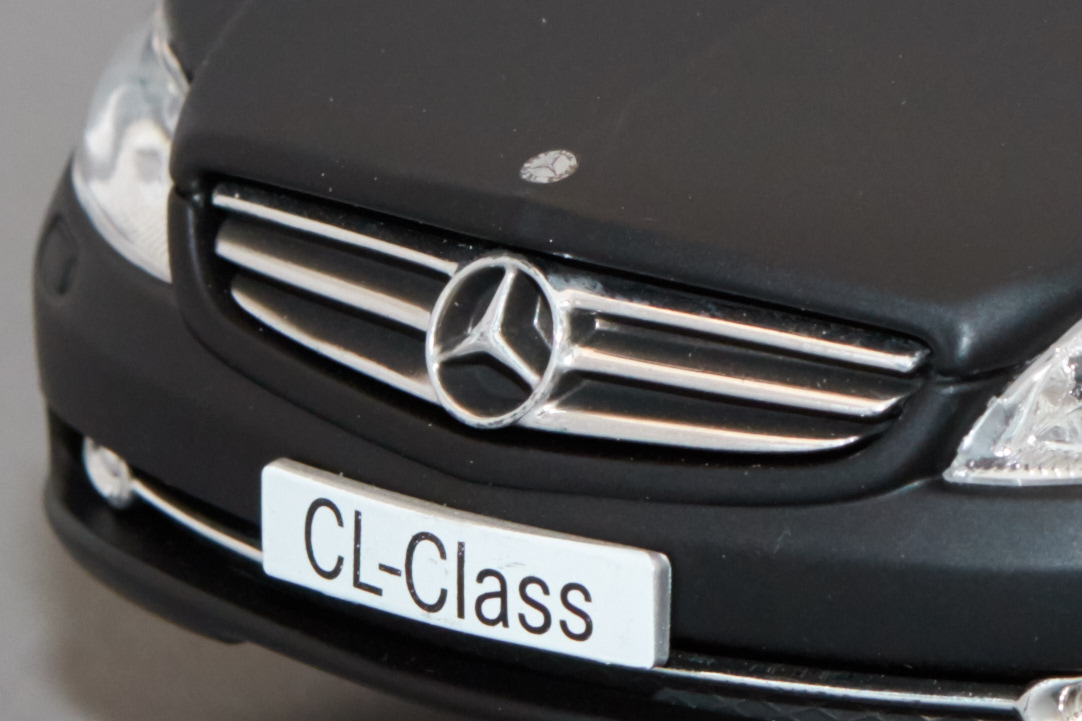
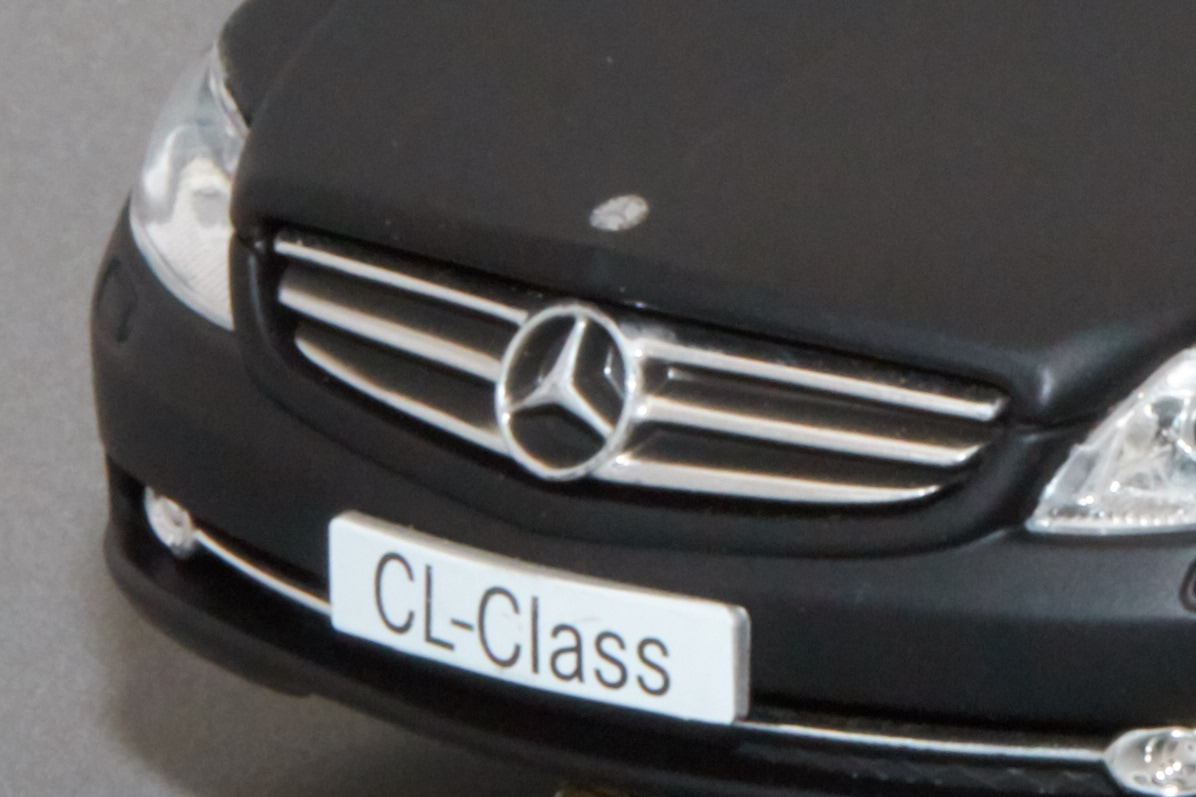
Fig. 23: Toy car at aperture f/8. The image is sharp. (100% view)

Toy car at aperture f/32. The entire image is slightly blurry. (100% view)

Toy car at aperture f/32. The entire image is slightly blurry. (100% view)
TipWith a full-frame sensor, there is generally no diffraction blur up to about aperture f/11, and with an APS-C sensor up to about aperture f/8.
NoteMore Information

Chromatic Aberration

Chromatic aberration or chromatic defect produces visible color fringing along sharp, high-contrast edges. These occur with lower-quality lenses at the edges of the frame when using a wide-open aperture. The cause lies in the refraction of light, which differs for long-wavelength light compared to short-wavelength light. In JPGs, these defects are usually already corrected within limits inside the camera.

Purple fringing often occurs around high-contrast edges when shooting against backlighting.

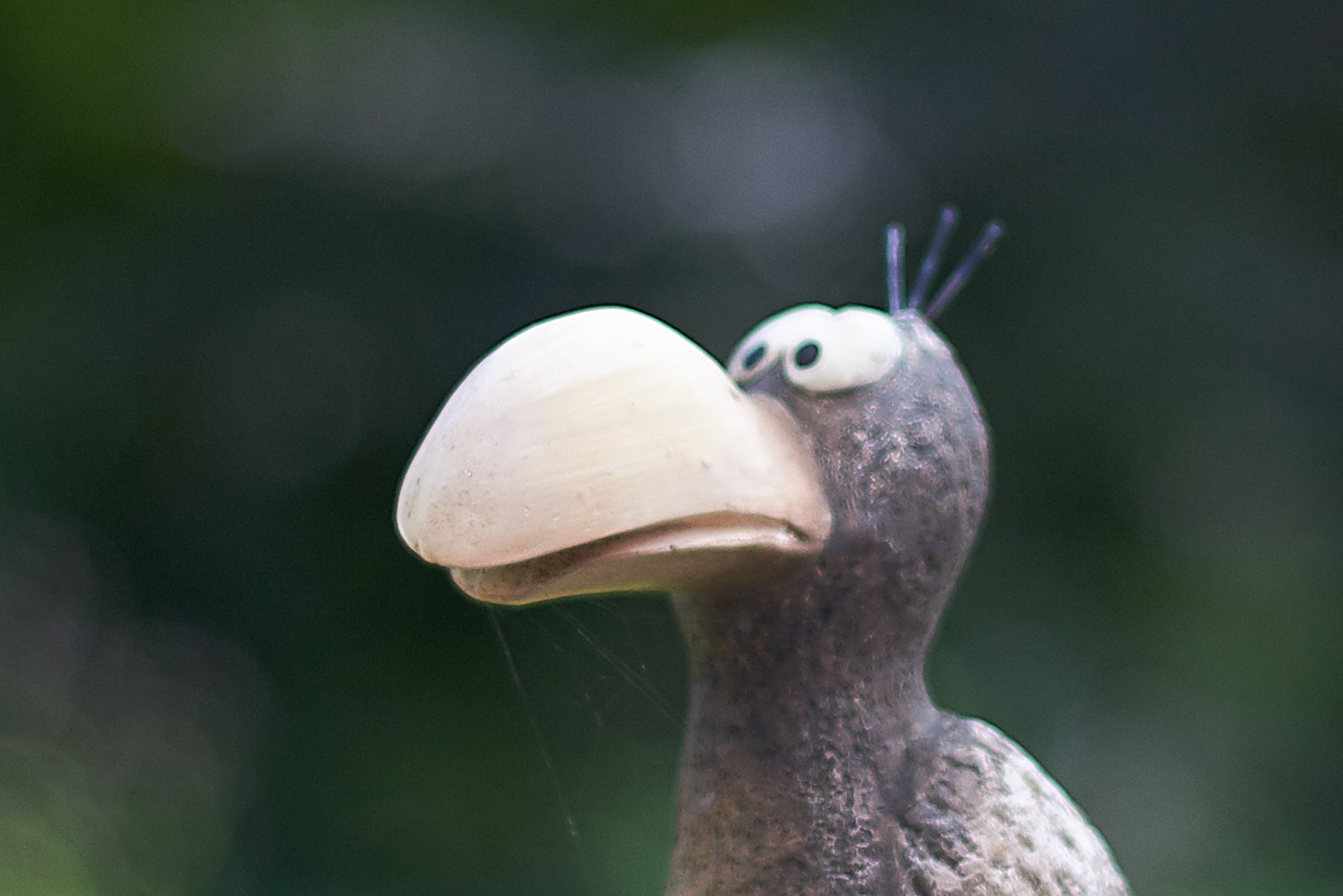
Longitudinal chromatic aberration is less frequently found in images. In this case, the different wavelengths of light have slightly different focal planes.
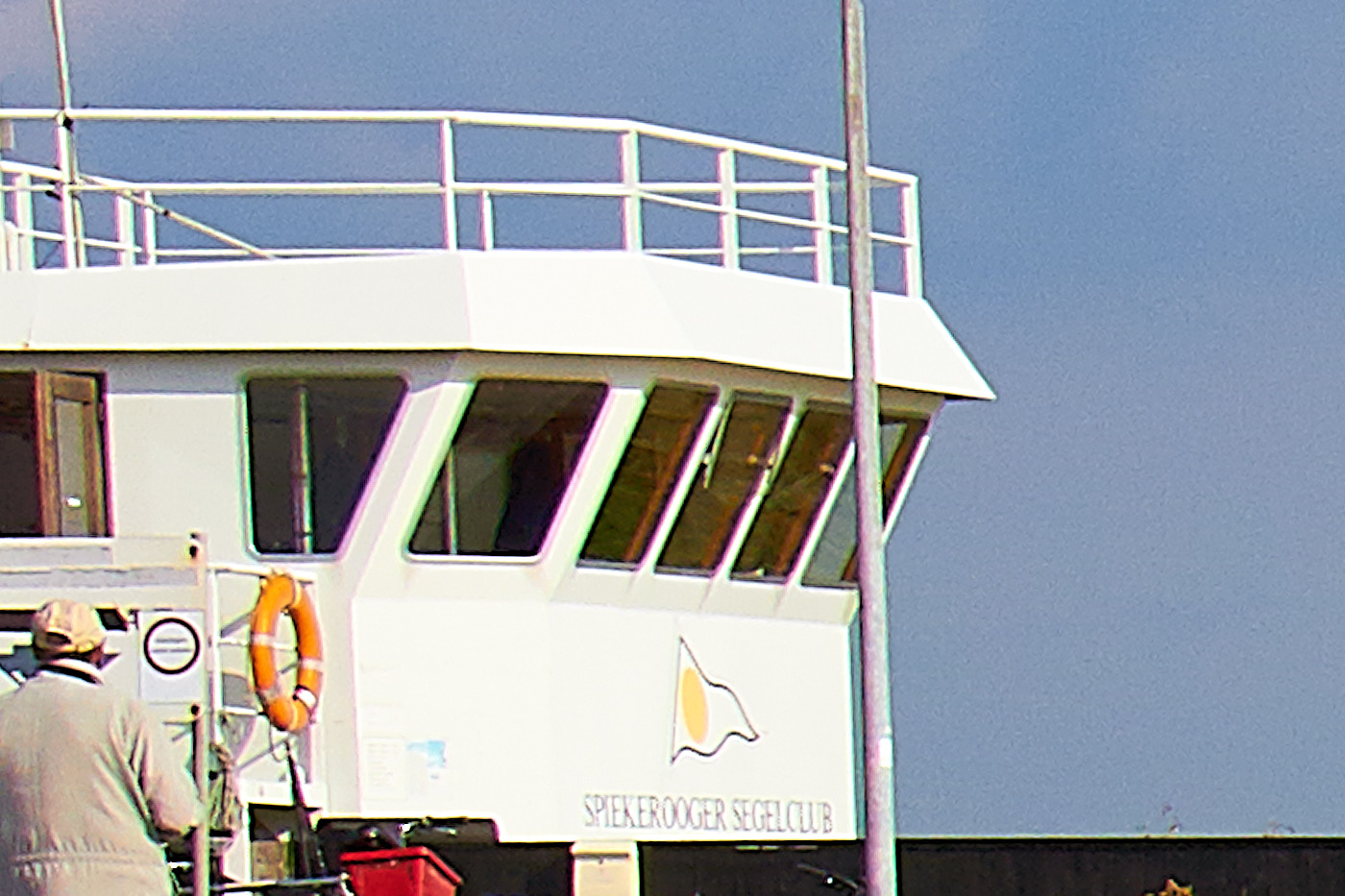
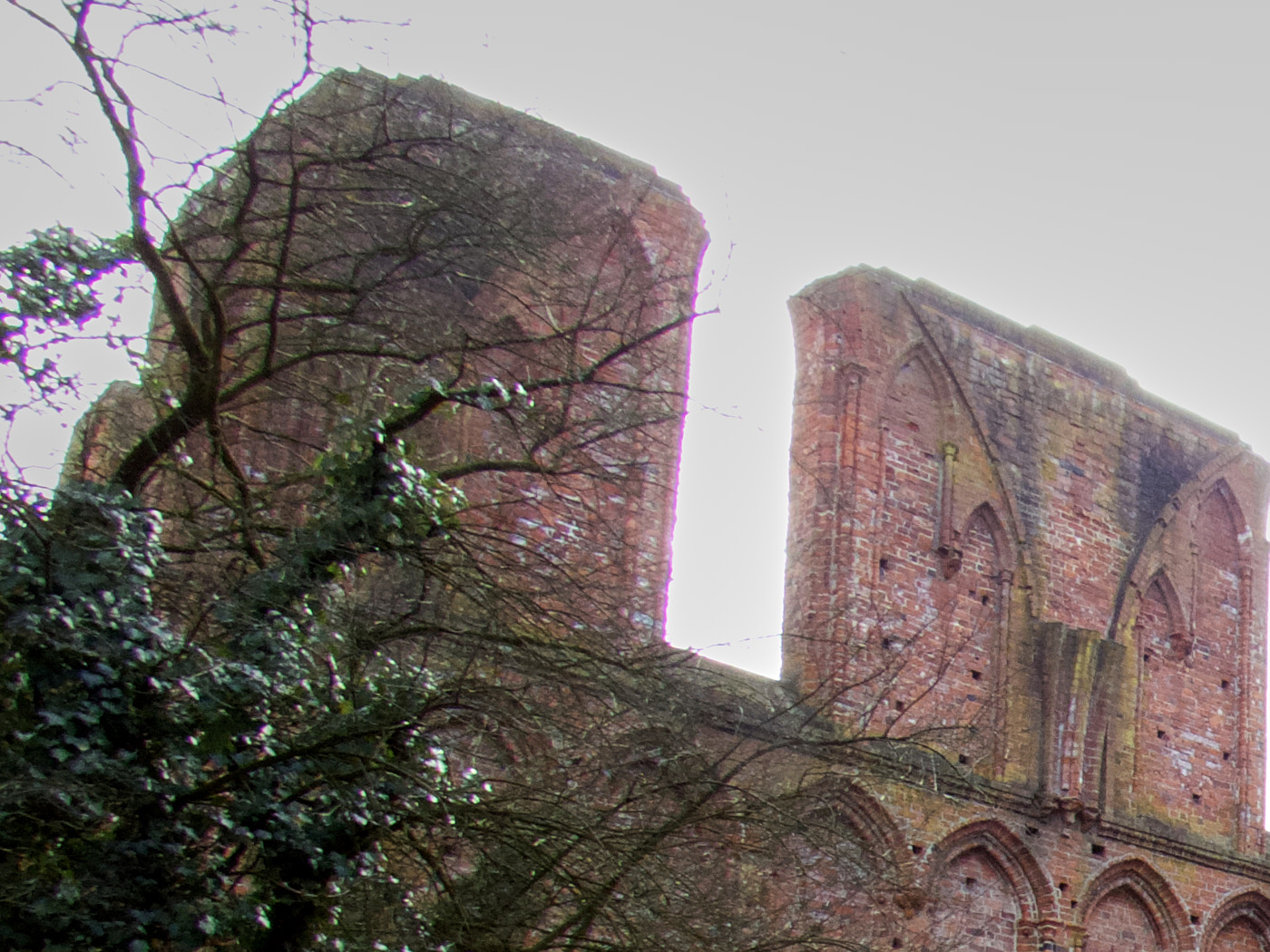
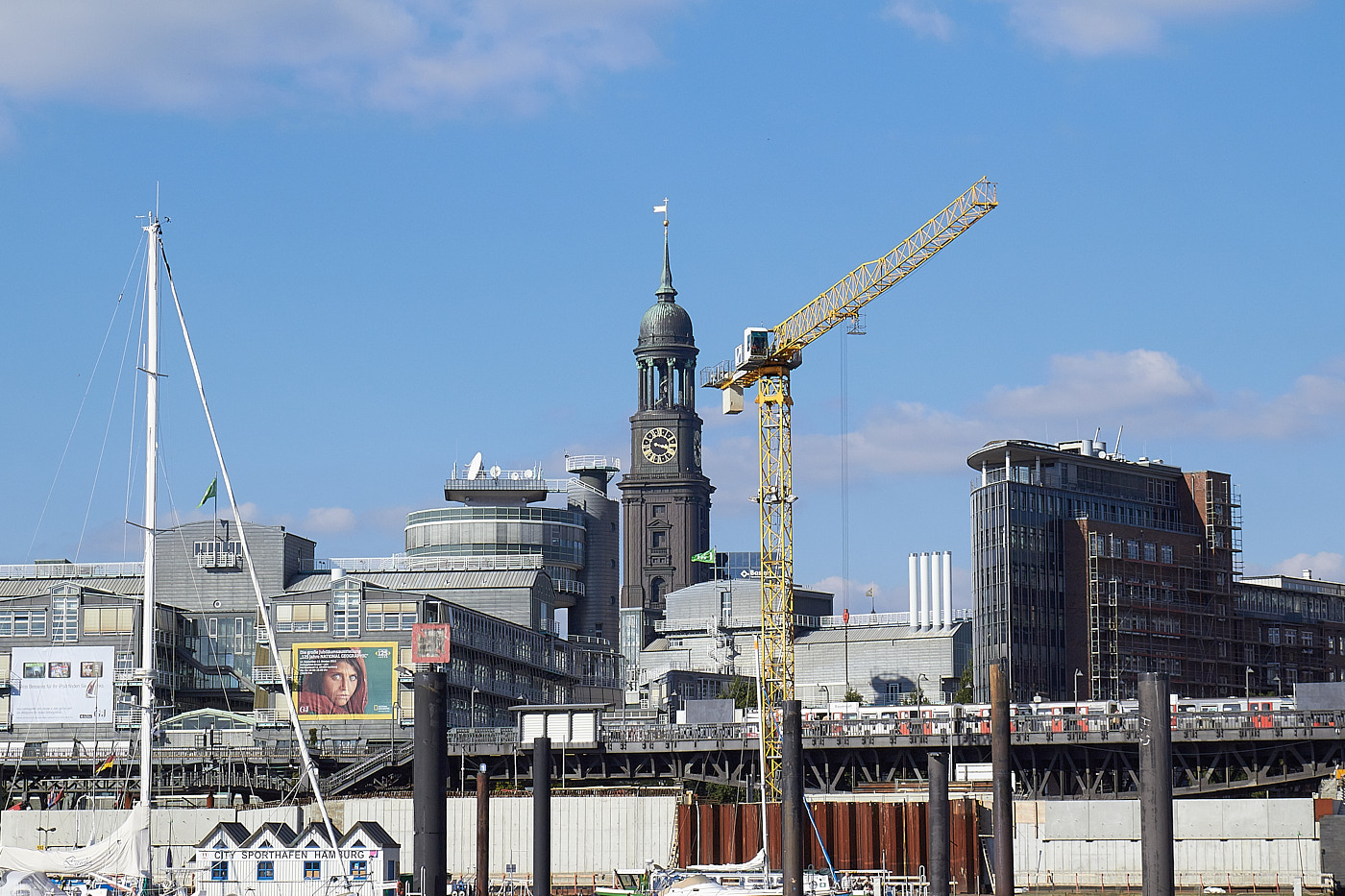
Fig. 24: Lateral chromatic aberration (cropped enlargement). Typical color fringing around the windows.
Fig. 25: Purple color fringing (Purple Fringing, cropped enlargement)
Fig. 26: Green color fringing on the beak. Longitudinal chromatic aberration caused by different focal planes of the various wavelengths.
Fig. 27: Red color fringing on the beak. Longitudinal chromatic aberration caused by different focal planes of the various wavelengths.
TipThe defects are less noticeable in the center of the image and when the aperture is slightly stopped down. If you work in RAW format, you can usually eliminate the defects afterward.
NoteMore Information

Rolling Shutter

With a very short exposure time and an electronic camera shutter, the movement of the subject is faster than the reading of the pixels. This leads to distortions. This often occurs when shooting propeller planes or other rotating objects or objects moving through the frame. If the camera also has a mechanical shutter, this phenomenon can be avoided.
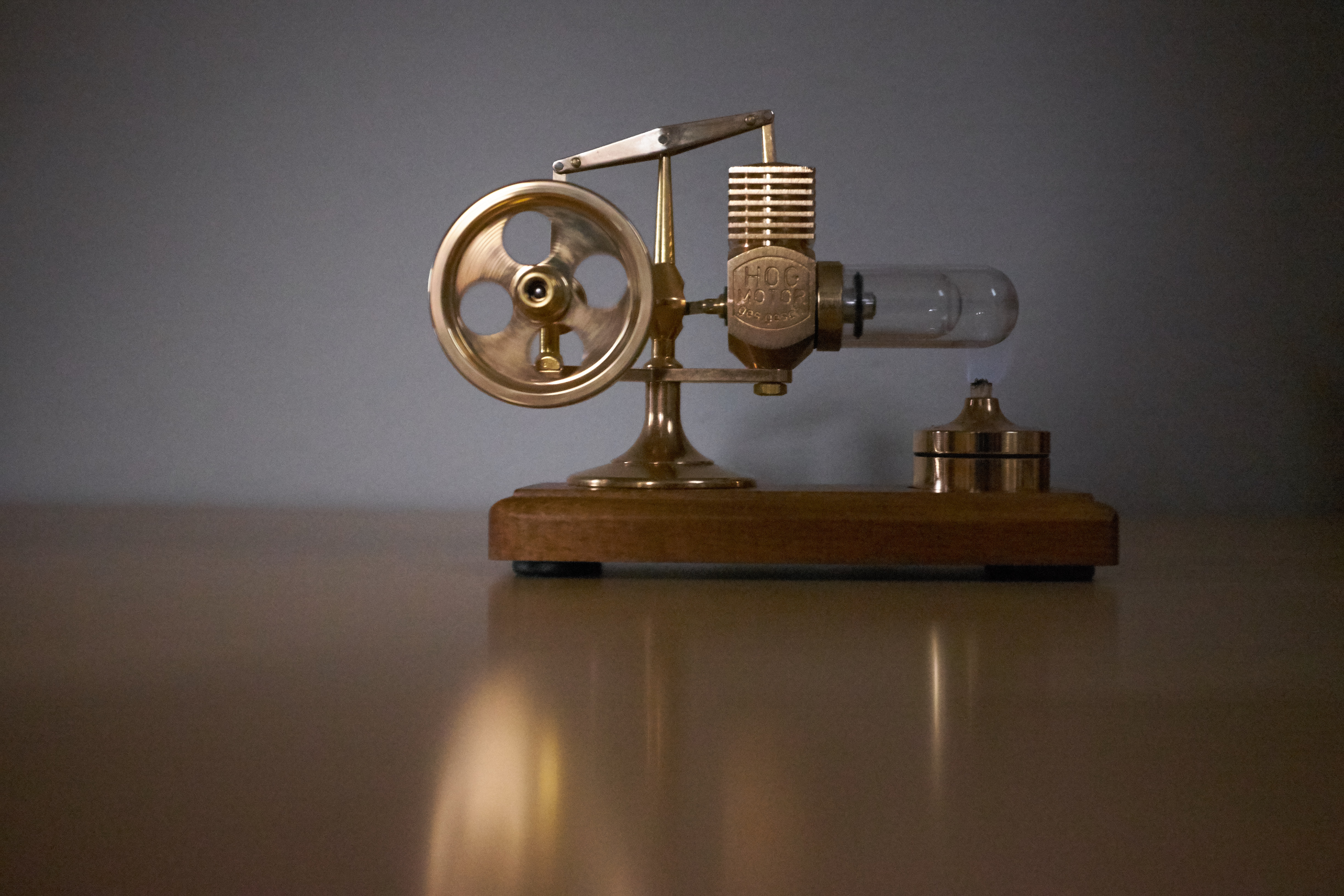
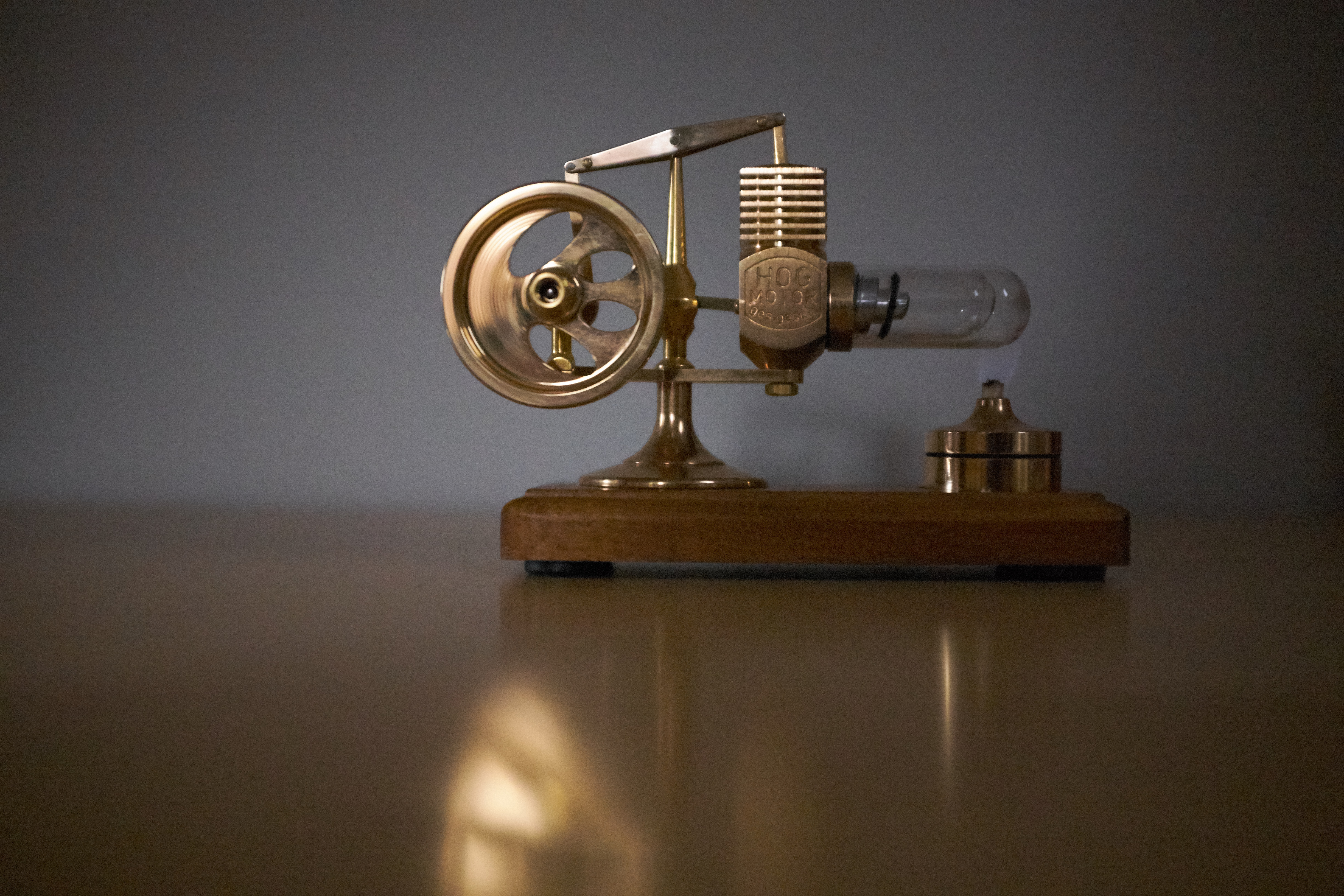
Fig. 28: With 1/4000s and a mechanical shutter, no rolling shutter effect occurs. The openings of the stirling engine flywheel, which is spinning incredibly fast, appear round in the image. A slight motion blur is still visible.
Fig. 29: With 1/4000s and an electronic shutter, the openings are completely distorted.
Fig. 30: Rolling shutter effect at 1/1600s on the right wing.
TipWhen shooting fast-moving subjects, use a mechanical shutter if available.
NoteMore information

Photo Manipulation

Photo manipulation is a deliberately induced alteration of an image. Some changes are harmless, such as removing red eyes in flash photography, while others can distort history. Currently, photo manipulation through AI is a huge topic, which we will not go into further detail here.
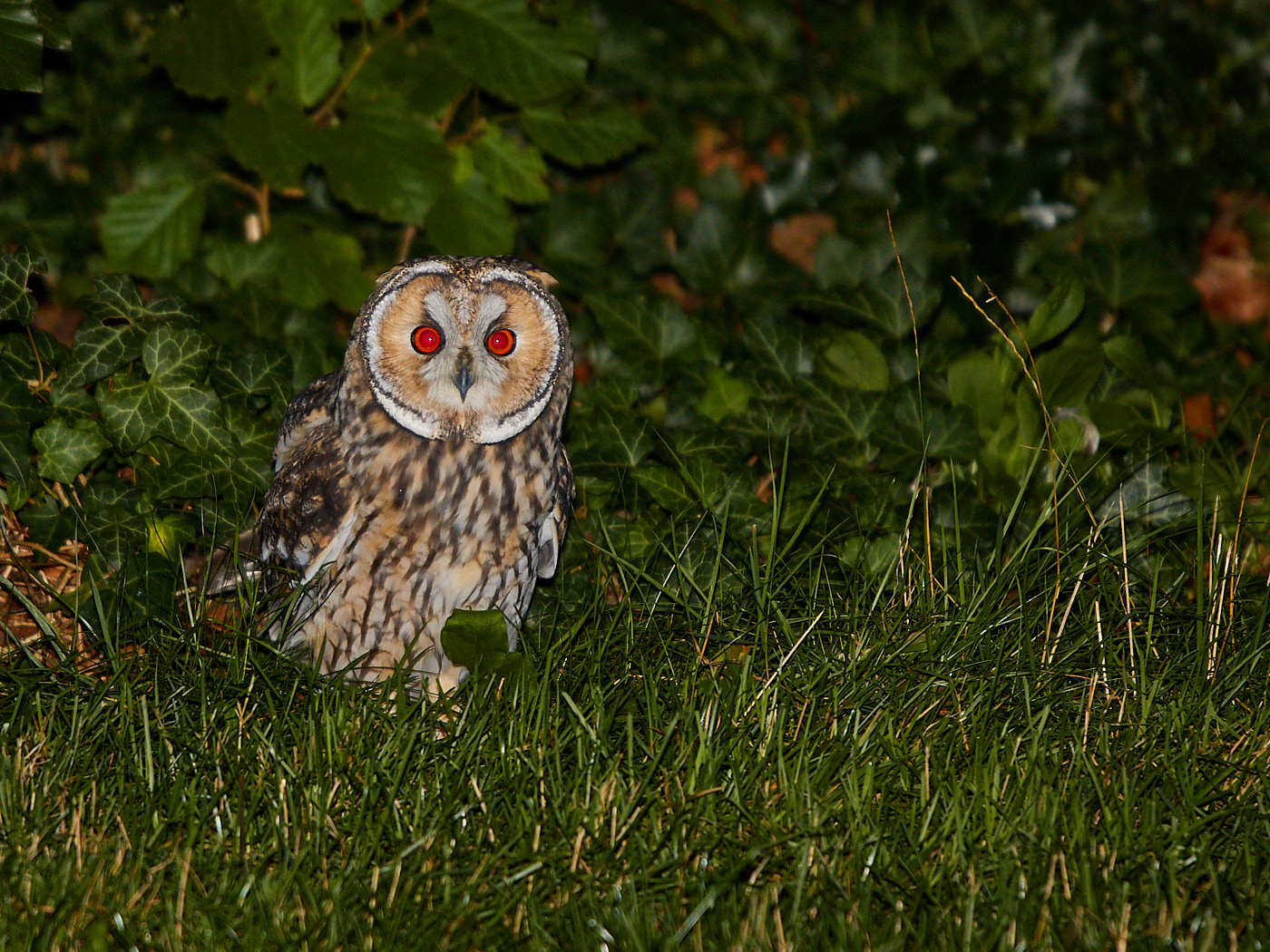
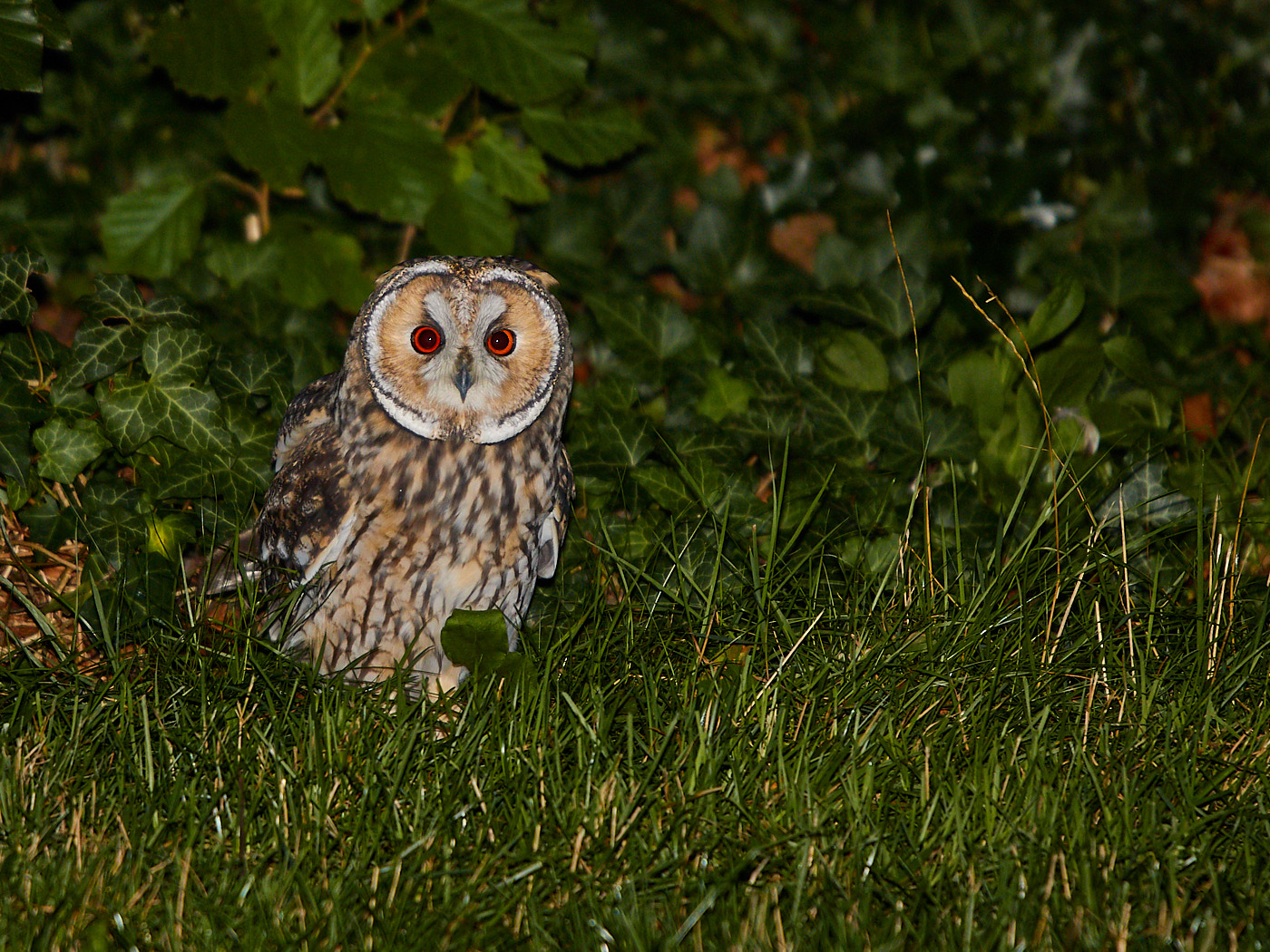
Fig. 31: Original flash photo
Fig. 32: Edited version
TipFor photo contests, check the terms and conditions beforehand to see which manipulations are allowed.

Canon EOS 100D | 40.0mm | f/8.0 | 1/500s | ISO 400

Canon EOS R6 | 45.0mm | f/5.6 | 1/1600s | ISO 100

Canon EOS 100D | 31.0mm | f/7.1 | 1/80s | ISO 200

Canon EOS 100D | 31.0mm | f/7.1 | 1/80s | ISO 200

Canon EOS 100D | 31.0mm | f/7.1 | 1/80s | ISO 200

Canon EOS R5 | 105.0mm | f/11.0 | 1/8000s | ISO 100

Canon EOS R5 | 105.0mm | f/11.0 | 1/8000s | ISO 100

Canon EOS R5 | 105.0mm | f/11.0 | 1/8000s | ISO 100

Canon PowerShot G5 X Mark II | 8.8mm | f/2.8 | 1/40s | ISO 320

Canon PowerShot G5 X Mark II | 8.8mm | f/2.8 | 1/40s | ISO 320

Canon PowerShot G5 X Mark II | 8.8mm | f/2.8 | 1/40s | ISO 320

Canon EOS M6 Mark II | 100.0mm | f/5.6 | 1/1000s | ISO 6400

Canon PowerShot G9 X Mark II | 10.2mm | f/5.6 | 1/320s | ISO 500

Canon EOS 100D | 55.0mm | f/11.0 | 1/400s | ISO 200

Canon EOS 100D | 55.0mm | f/11.0 | 1/400s | ISO 200

Canon EOS 100D | 55.0mm | f/11.0 | 1/400s | ISO 200

Canon EOS 100D | 10.0mm | f/6.3 | 1/125s | ISO 200

Canon EOS 100D | 10.0mm | f/6.3 | 1/125s | ISO 200

Canon EOS 6D | 50.0mm | f/11.0 | 1/1250s | ISO 200

Canon EOS M5 | 18.0mm | f/9.0 | 1/160s | ISO 125

Canon EOS R7 | 18.0mm | f/4.0 | 1/8000s | ISO 200

Canon EOS 70D | 100.0mm | f/8.0 | 1/250s | ISO 400

Canon EOS 70D | 100.0mm | f/32.0 | 1/250s | ISO 400

Canon EOS 600D | 32.0mm | f/11.0 | 1/400s | ISO 200

Canon PowerShot SX50 HS | 4.3mm | f/6.3 | 1/160s | ISO 200

Canon EOS 600D | 50.0mm | f/1.8 | 1/1250s | ISO 200

Canon EOS 600D | 50.0mm | f/1.8 | 1/1250s | ISO 200

X100T | 23.0mm | f/2.0 | 1/4000s | ISO 3200

X100T | 23.0mm | f/2.0 | 1/4000s | ISO 3200

Canon EOS R6 | 500.0mm | f/7.1 | 1/1600s | ISO 2000

Canon EOS 80D | 400.0mm | f/6.3 | 1/250s | ISO 400

Canon EOS 80D | 400.0mm | f/6.3 | 1/250s | ISO 400

Image Composition
Experimental
 
  • © Tiger Graphics 2026

  • Imprint (German)

  • Data Protection (German)