Technical Matters
Amount of Light
Sensor
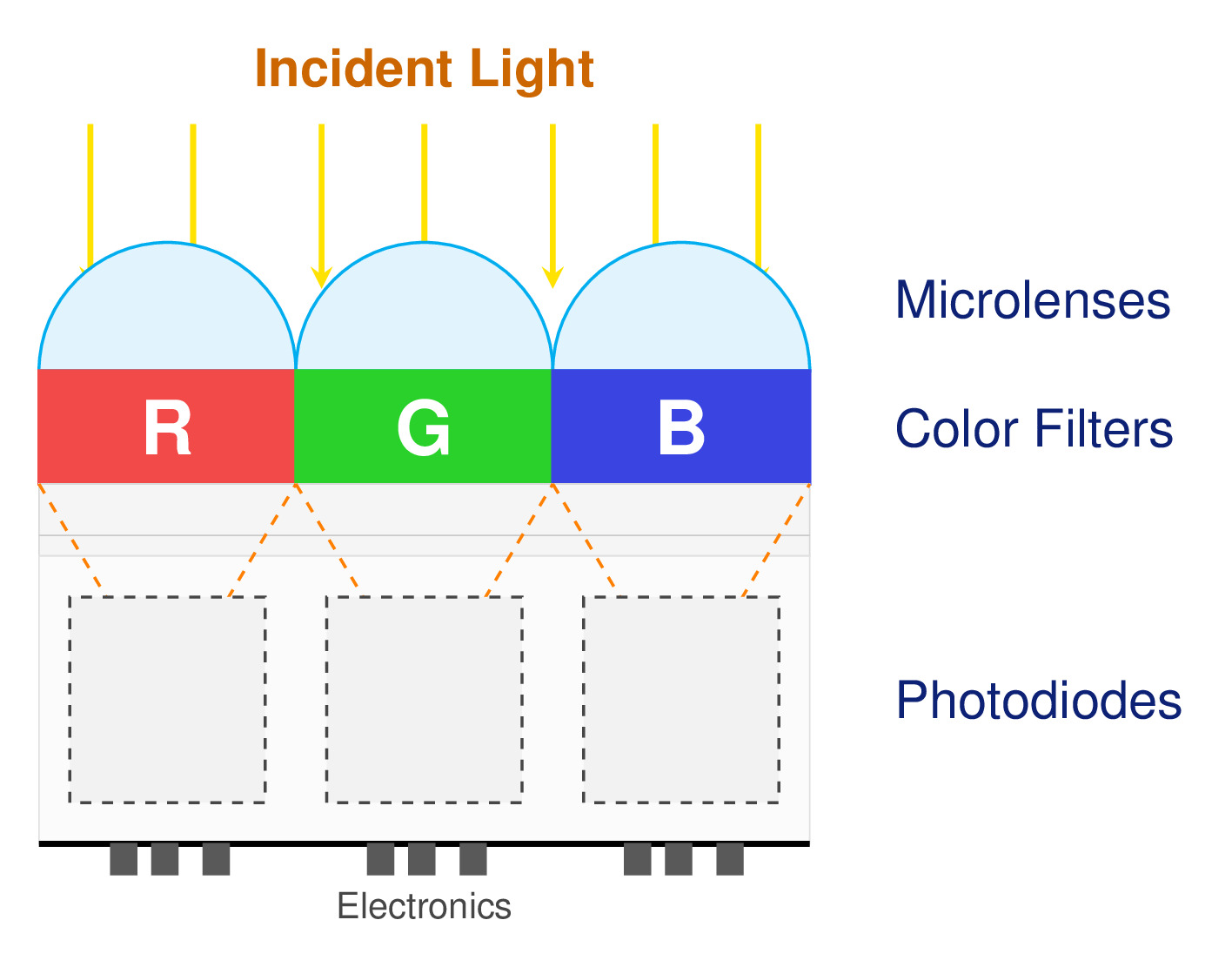
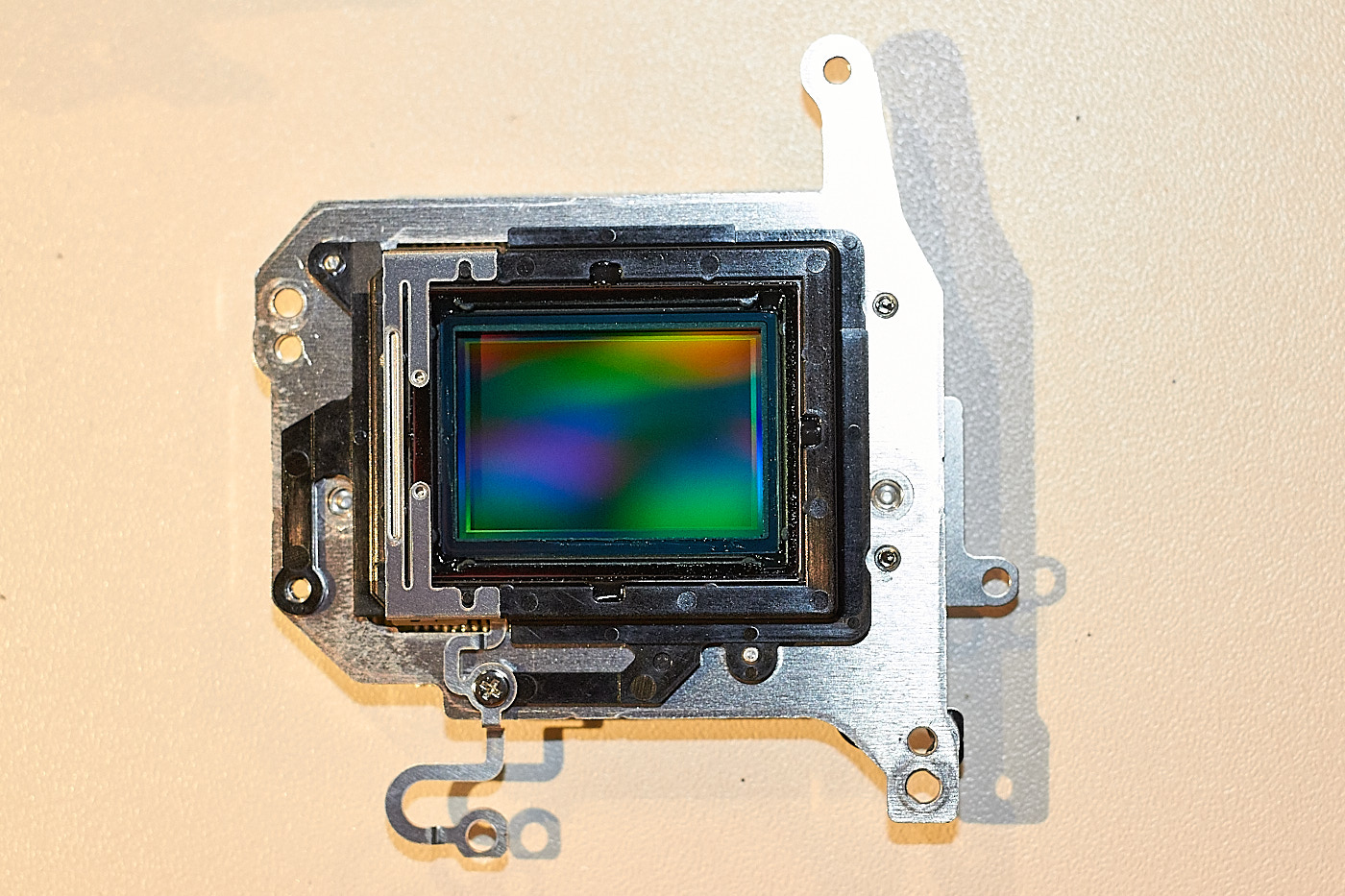
A pixel (of the sensor) consists, among other things, of a photodiode that converts light into an electrical signal, a color filter, and a lens. Each pixel captures only one color channel. The color channels are Red, Green, and Blue (RGB). Almost all visible colors can be composed of these 3 primary colors. An image pixel with color values for red, green, and blue is compiled (partially differing by manufacturer) from neighboring pixels on the sensor (see Section 1.2.1).
Bayer Mask
Without the filters, the photodiodes of the pixels would only measure brightness values and generate a black and white image. Therefore, color filters are placed in front of the photodiodes, making it possible to measure red, green, and blue individually. In order to measure all colors as “correctly” as possible and thus generate an image that looks “right” to the human eye, the color filters are usually arranged in a pattern called a Bayer mask.
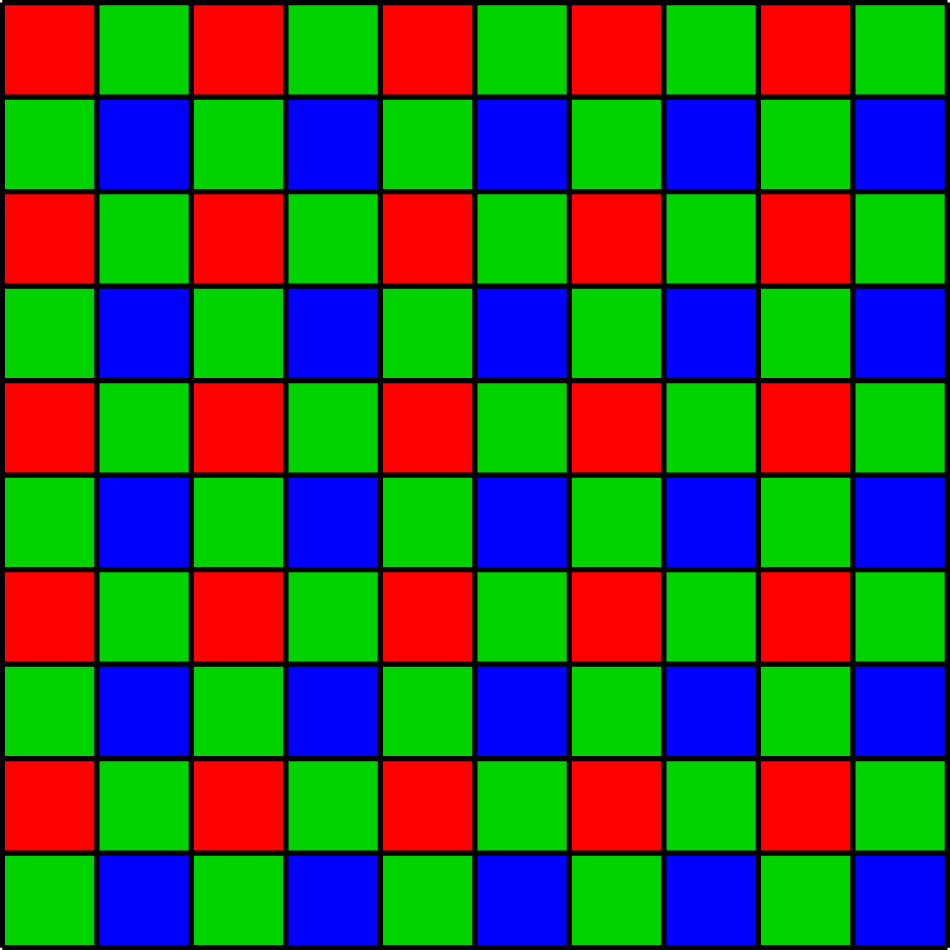
For saving the image pixels:
- The “red” pixels receive the values for blue and green by averaging the values of the neighboring blue and green pixels.
- The “green” pixels receive the values for red and blue by averaging the values of the neighboring red and blue pixels.
- The “blue” pixels receive the values for red and green by averaging the values of the neighboring red and green pixels.
A less common variant is the X-Trans sensor from Fujifilm.
Averaging or interpolation differs from one sensor variant to another. The formulas for this are programmed into the camera for shooting in JPG and are made available to software manufacturers for RAW processing. There are different types of interpolation.
Color Space
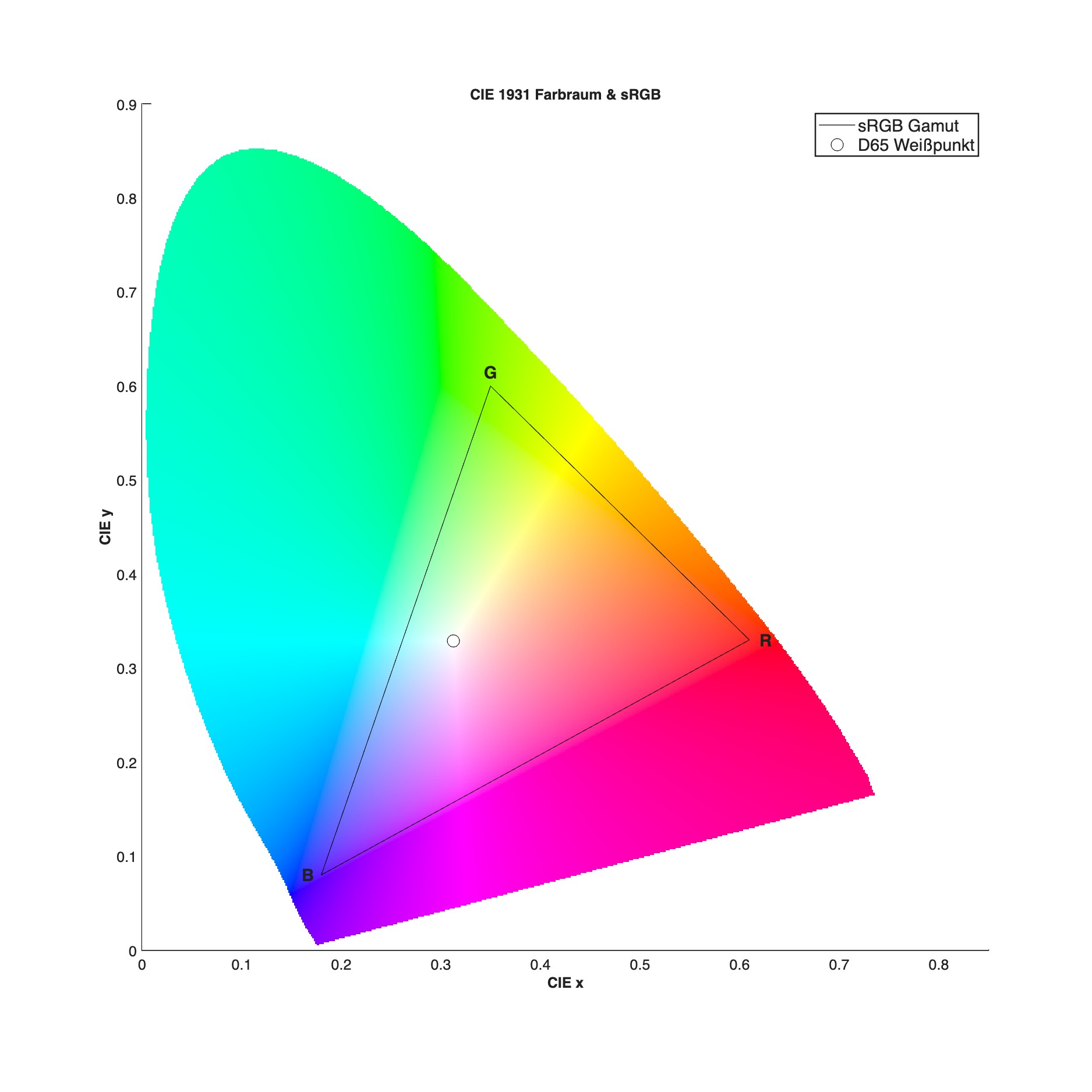
Not all colors that we can see can actually be represented by red, green, and blue. Therefore, some colors do not look “right” in images. This is also partly because cameras and monitors display colors using additive color mixing, while printers use subtractive color mixing.
The camera sensor, camera display, monitor, and printer must be coordinated with one another.
Common Sensor Sizes
Sensor sizes range from tiny sensors in most smartphones, which are no larger than a toddler’s pinky nail, to large sensors in studio cameras that are roughly the size of half a credit card.
| Sensor Size | Camera Examples |
|---|---|
| 1/2.3’’ | Nikon Coolpix P950 |
| 1 Inch | Canon G7x, Sony R10V |
| MFT | Olympus PEN |
| APS-C | Canon R7, Nikon Z50, Fujifilm X-T5 |
| Full Frame | Sony \(\alpha\) 7V, Canon R5, Nikon Z9, Leica Q3 |
| Medium Format | Fujifilm GFX 100 |
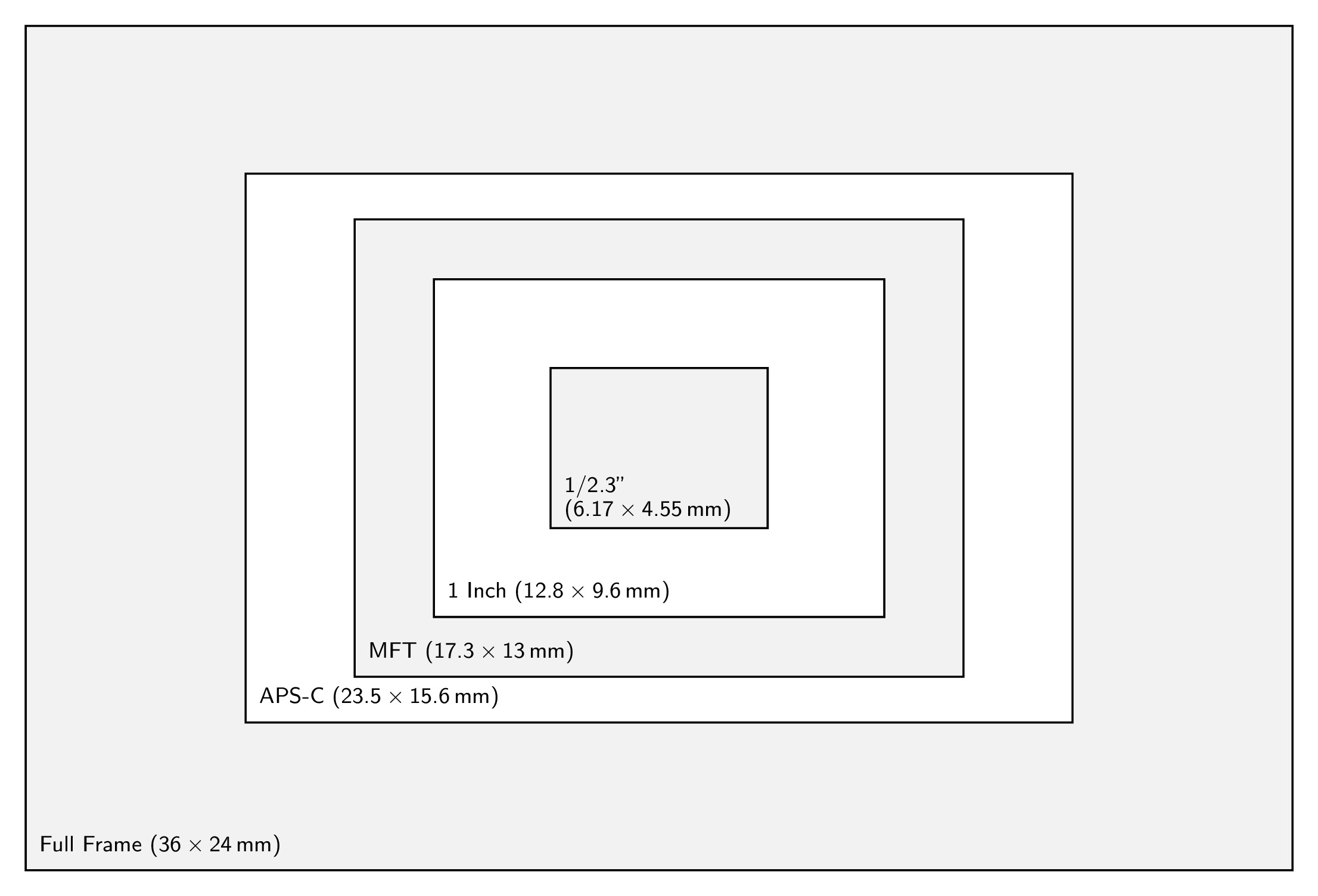
Medium format is not depicted in the graphic. The APS-C formats deviate slightly from one another depending on the manufacturer. The one-inch sensor, also called the inch sensor, is smaller than 1 inch in diameter due to historical reasons. Sensors in smartphones are usually very small (approx. 1/2.3’’). The largest ones built into phones so far are the one-inch sensors.
The pixel count is independent of the sensor size. There are full-frame sensors with 20 megapixels and tiny sensors in smartphones with over 40 megapixels. The designations of the sensors vary from manufacturer to manufacturer.
Pixel Pitch
This specification describes the physical size of the photodiodes. A few examples:
- 1 Inch, 20 MP (e.g., Canon G7x), 2.4 \(\mu m\)
- APS-C, 24 MP (e.g., Canon EOS 80D), 3.7 \(\mu m\)
- Full Frame, 20 MP (e.g., Canon EOS 6D), 6.5 \(\mu m\)
ISO
ISO stands for “International Organization for Standardization” and represents the sensitivity of the film material or the sensor in photography.
For analog films, the following applies:
- Low ISO number: Very fine resolution (can be imagined as small pixels), requires a lot of light.
- High ISO number: Coarser resolution (can be imagined as larger pixels), good in low light.
For digital cameras, the following applies:
- The ISO number controls the sensitivity of the sensor by adjusting the gain amplification (similar to a volume control).
- A low ISO number generates little noise, requires a lot of light.
- A high ISO number generates more noise, good in low light.
- The larger the pixels on the sensor, the lower the noise (at the same ISO number).
Noise is created by amplifying the signal and becomes stronger when the ISO number/gain is increased.
Noise stands out more prominently in dark areas of an image than in bright areas.
Usually, larger sensors feature lower noise than smaller ones at the same pixel count. However, it also depends on the camera generation, as sensors have steadily improved over time.
Crop Factor
The crop factor indicates the factor by which the sensor is smaller or larger compared to full frame. More precisely: The crop factor specifies the ratio of the diagonal length of the full-frame sensor to the diagonal length of the image sensor being considered. The smaller the sensor, the larger the crop factor.
Crop factors of different sensor sizes:
| Sensor Size | Crop Factor | Sensor Area (rounded) | Quota of Full Frame |
|---|---|---|---|
| 1/2.3’’ | 5.6 | 28 \(mm^2\) | 0.03 |
| 1 Inch | 2.7 | 123 \(mm^2\) | 0.14 |
| MFT | 2 | 225 \(mm^2\) | 0.26 |
| APS-C | approx. 1.5 | 367 \(mm^2\) | 0.42 |
| Full Frame | 1 | 864 \(mm^2\) | 1 |
Full frame serves as a sort of baseline or reference size. It is exactly the same size as a 35mm slide or negative captured on analog 35mm film.
Small sensors capture far less light than large ones. Currently (2026), smartphones have sensors with a maximum area equivalent to 14% of a full-frame sensor. For this reason, images on smartphones are heavily corrected by software and AI, especially in low-light conditions.
Crop Factor and Field of View
Crop Factor and Focal Length
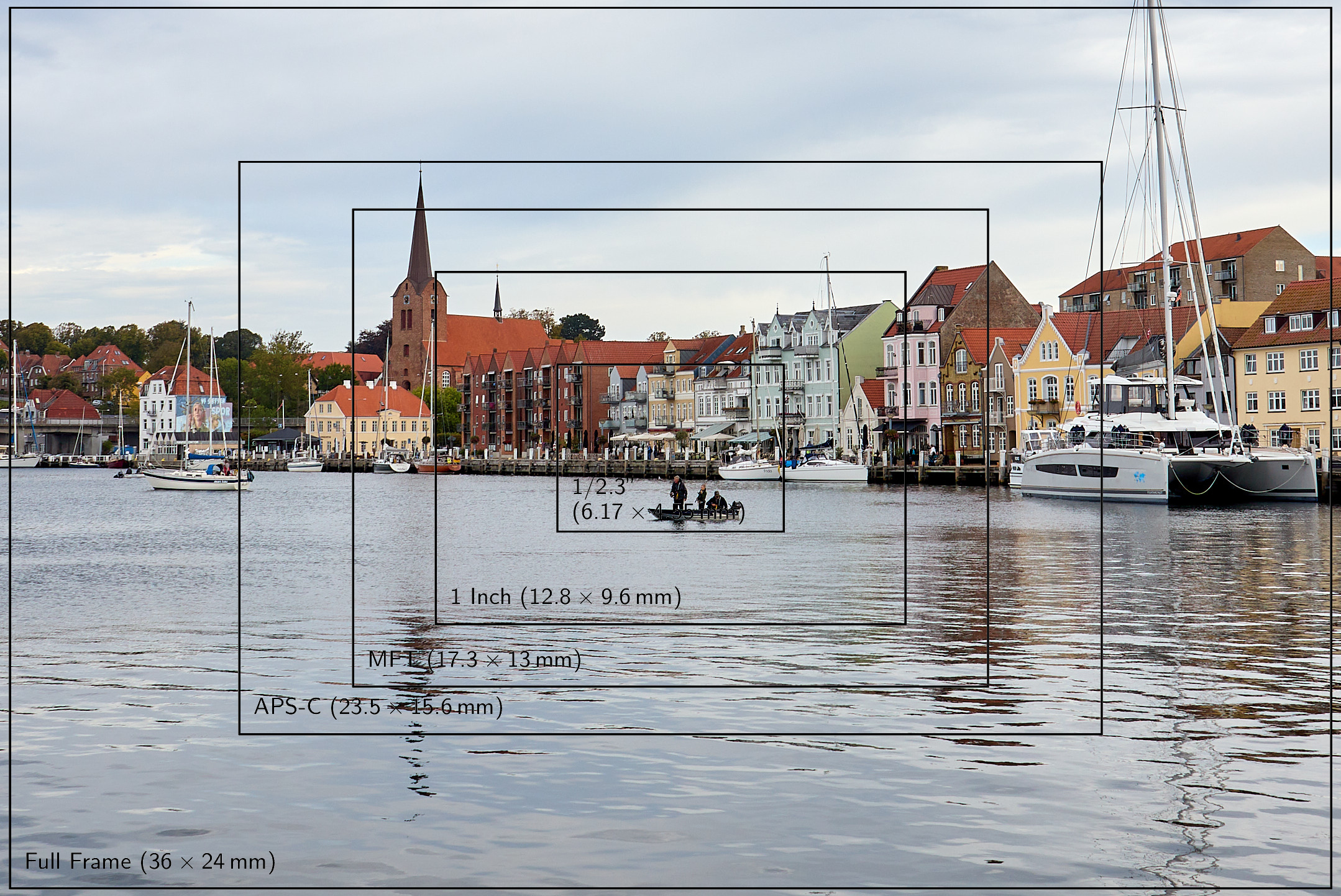
A 24mm lens does not turn into a 38mm lens on an APS-C camera. Only the captured field of view changes, as can be seen in Fig. 6.
However, for comparison purposes, the effective focal length is frequently specified alongside the actual focal length: The effective focal length of a 24mm lens on an APS-C camera is then 38mm.
Shutter
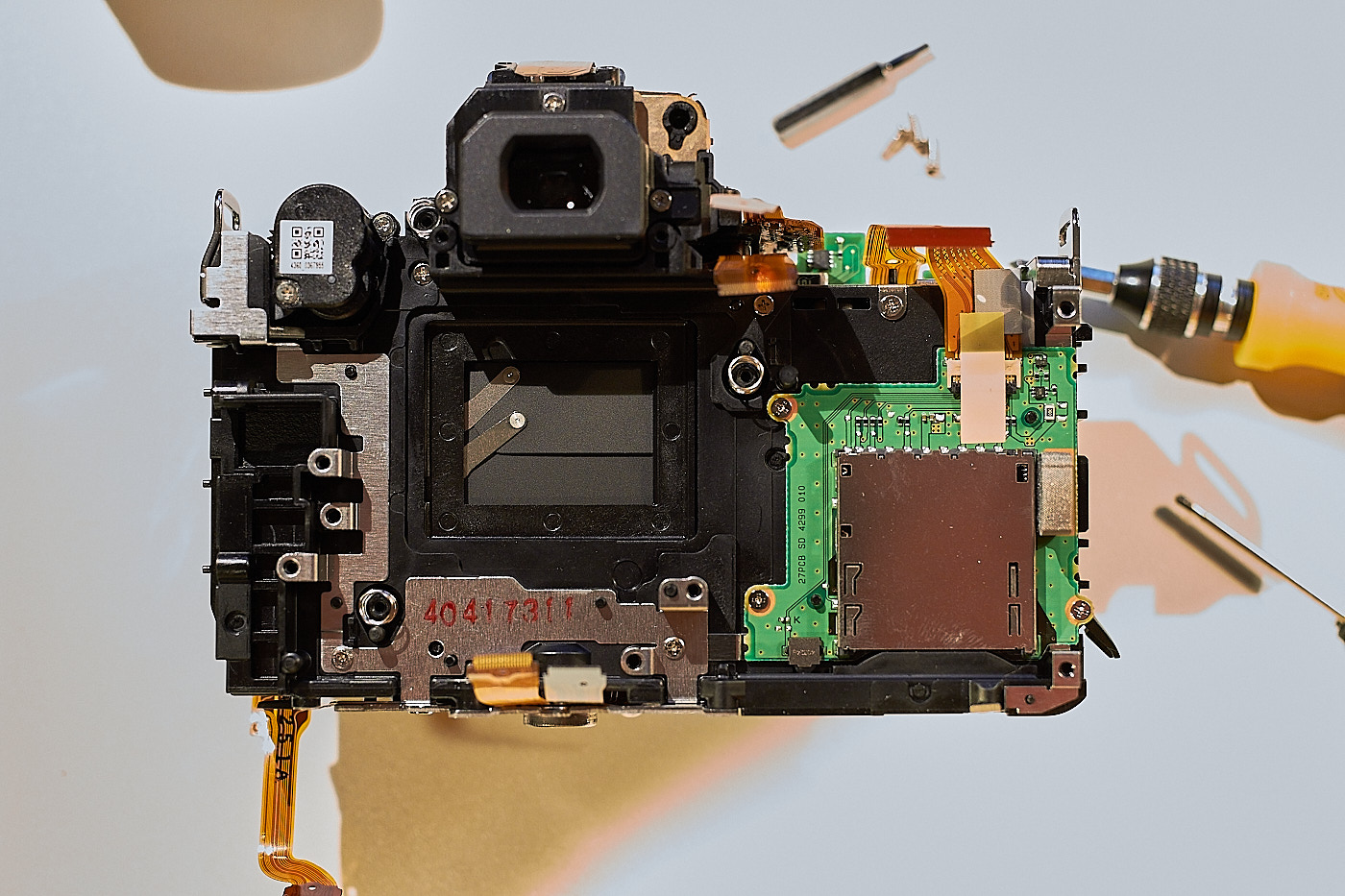
The shutter shields the sensor from incoming light and opens up so that the pixels are exposed for the selected duration of time.
With a focal-plane shutter, the exposure time is achieved through a slit whose width is adjusted by the camera so that, at a constant transit speed of the curtain, the designated exposure time is achieved for each individual pixel. Other variants are the diaphragm shutter and the electronic shutter.
Lens
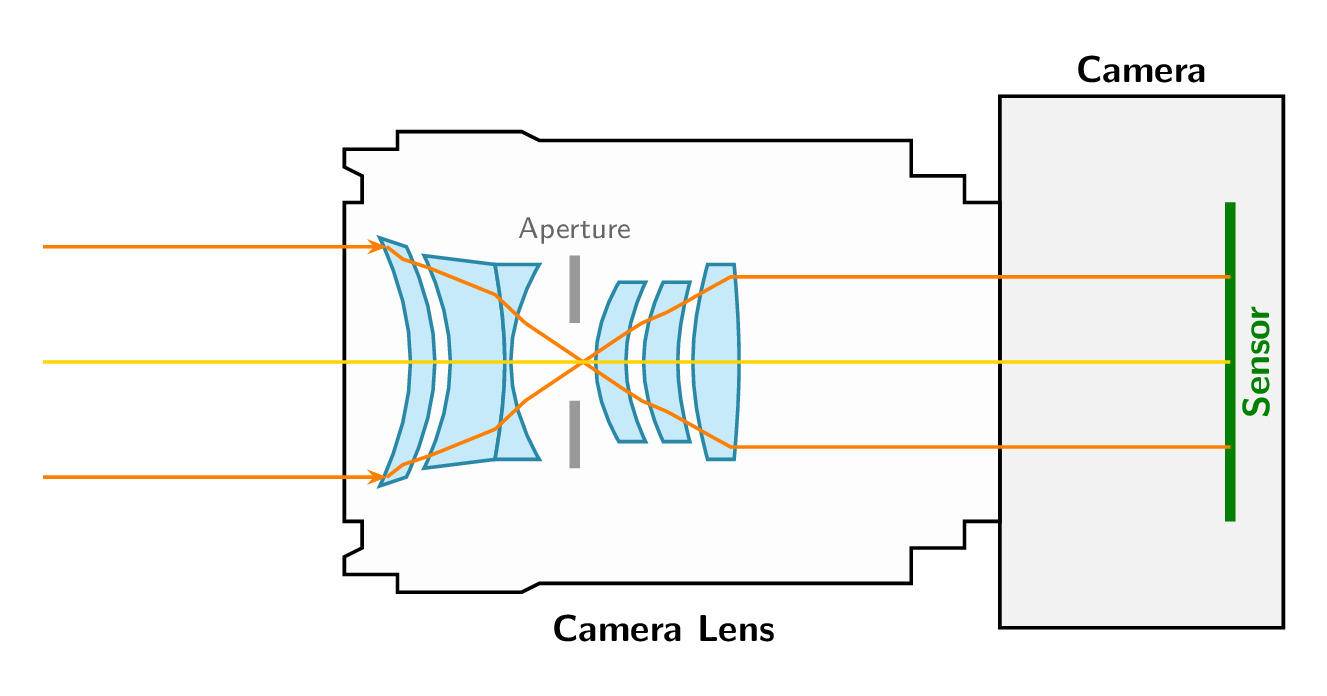
Modern lenses consist of various glass elements, which can be made of different materials and are grouped into lens elements. Individual groups can be movable to allow for focusing or, in the case of zoom lenses, to change the focal length.
Lens Speed / Maximum Aperture
In addition to the focal length, another number is printed behind it: the maximum aperture or f-number. The smaller the f-number, the faster the lens speed. The f-number is the quotient of the focal length divided by the effective diameter of the lens opening.
Examples:
- Focal length 50mm, diameter 25mm: f-number f/2
- Focal length 100mm, diameter 25mm: f-number f/4
A 100mm lens with a diameter of 25mm is therefore not as fast as a 50mm lens of the same diameter.
The notation f/2 is meant to indicate that it is a fraction. On some lenses, it is therefore written as 1:2 or, for example, 50/2 on a lens with a 50mm focal length. The specified maximum aperture is also called the wide-open aperture, as it allows the maximum possible light to pass through the lens.
Aperture Scale / F-Stop Series
The sequence of different aperture diameters is called the f-stop series. It can be found printed on old lenses where the aperture is set manually on the lens barrel itself. On modern lenses, it is controlled electronically from the camera body.

The numerical values of the f-stop series change from stop to stop by a factor of \(\sqrt{2}\).
The area A of the aperture opening is calculated using the circle formula from the diameter of the aperture opening d.
\[A=\pi \cdot \left(\frac{d}{2}\right)^2\]
The diameter is therefore:
\[d=\sqrt{\frac{4}{\pi}\cdot A}\]
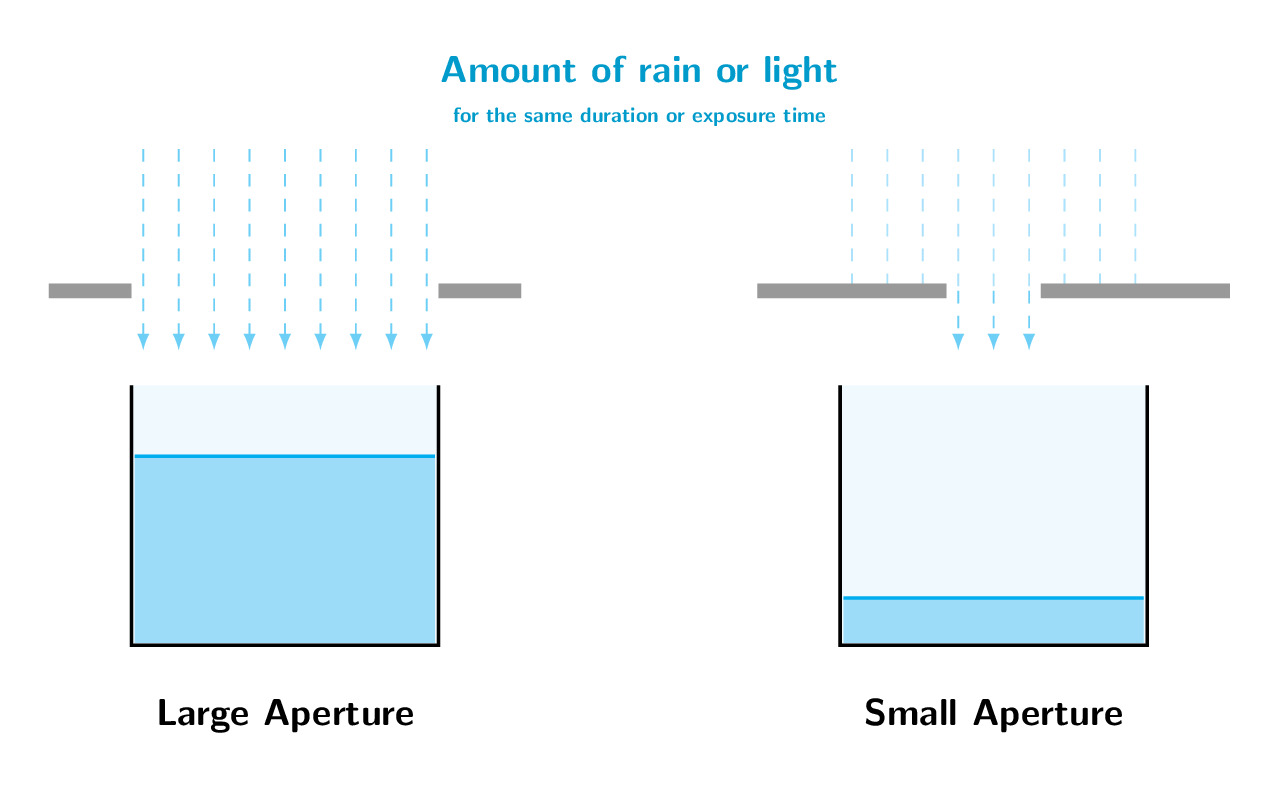
If twice as much light is to pass through the aperture, the area must be doubled: \(A \rightarrow 2 \cdot A\).
Then the new diameter is:
\[d_{new}=\sqrt{\frac{4}{\pi}\cdot 2 \cdot A}= \sqrt{2} \cdot d\]
Depth of Field
For cameras that can only focus on a single distance (which applies to virtually all privately used models), depth of field describes the distance from the nearest to the most distant object that can be rendered acceptably sharp.
The definition of acceptably sharp is derived from the so-called circle of confusion. If this circle for a point-like object is just small enough to be covered by exactly one pixel, the reproduction is sharp. A smaller aperture opening results in a smaller circle of confusion.
How large the circle of confusion actually may be depends on many factors. See here.
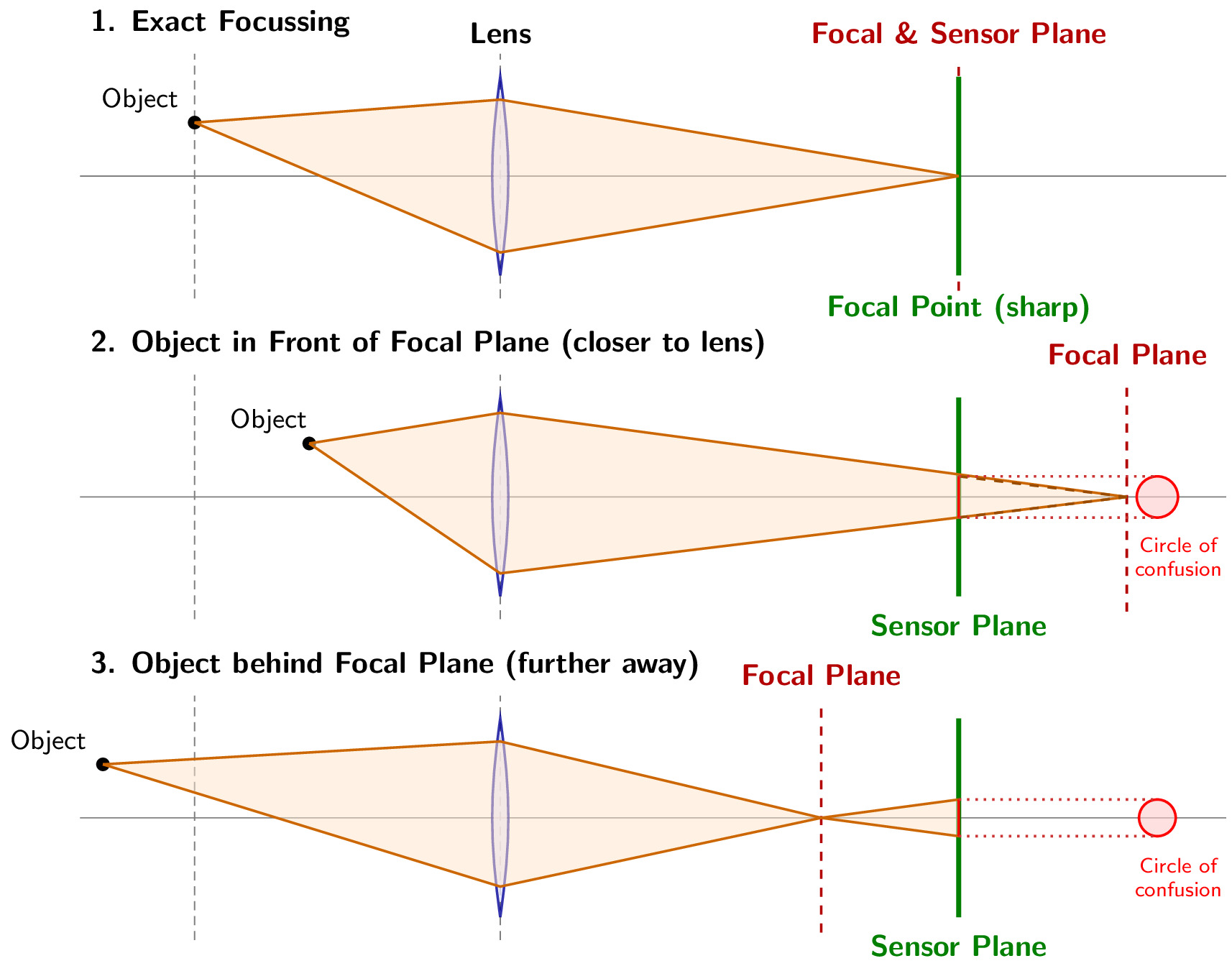
Whether a large distance range is rendered acceptably sharp depends on:
- The optical quality of the lens,
- The pixel size of the sensor,
- The aperture opening.
On some lenses, the range of depth of field can be read directly off the lens barrel.
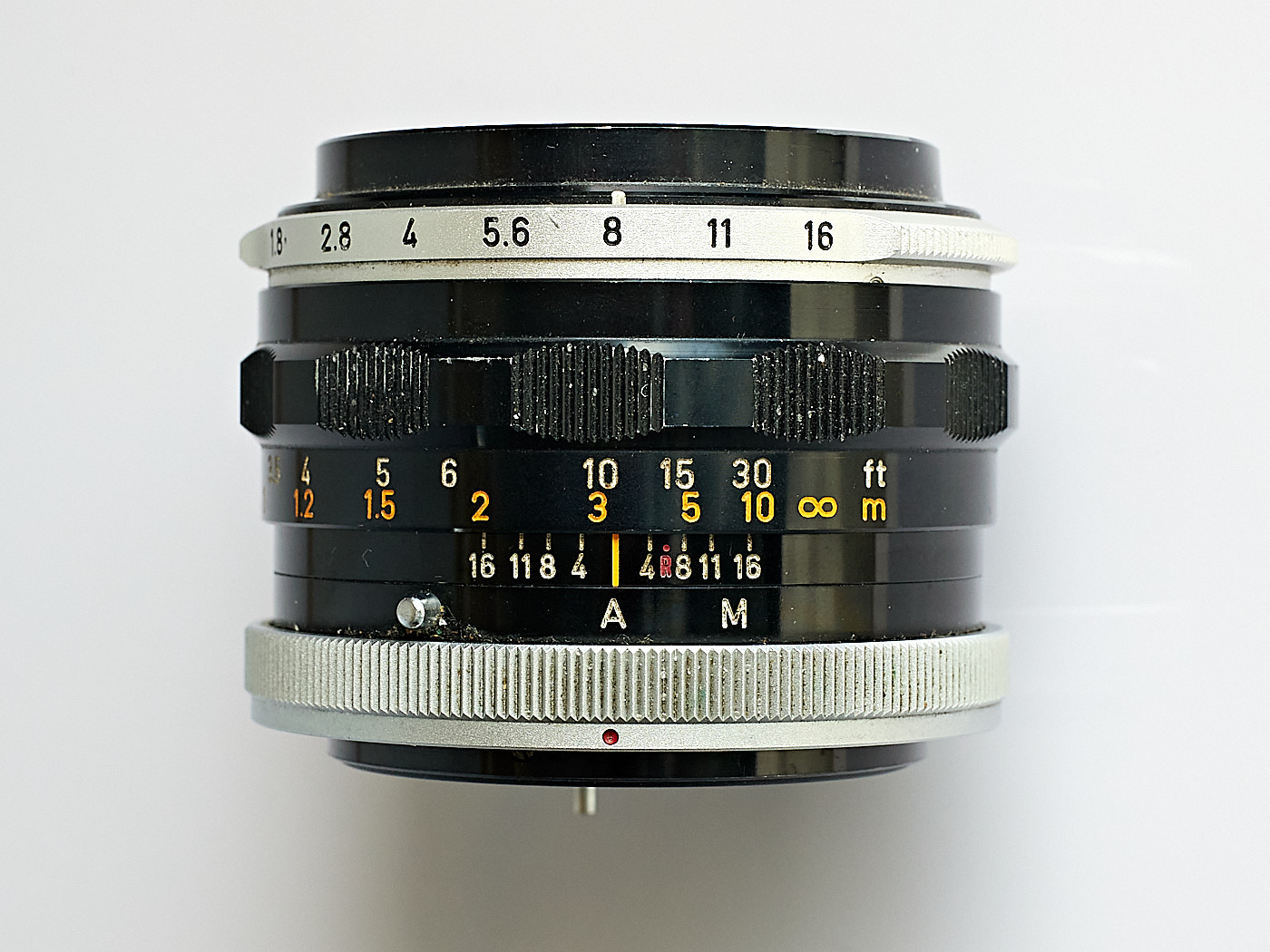
In Fig. 11, the focus is set to slightly more than 3 meters (scale and vertical line in orange) and the aperture stands at 8. The numbers to the left and right of the vertical line show aperture values, with which you can read the depth of field range on the distance scale again. In this example:
- Aperture f/8: approx. 2.6 m to 4.9 m
- Aperture f/16: 2 m to approx. 10 m
Hyperfocal Distance
If you want to ensure in landscape photography that the image is sharp all the way to a distant mountain ridge, you do not focus directly on the ridge itself. Instead, you look for a point located roughly one-third of the distance away, focus there using One-Shot AF, keep the shutter button pressed halfway, recompose back to your original framing, and then release the shutter. This one-third distance corresponds roughly to the hyperfocal distance.
The hyperfocal distance is a value indicating the focus distance beyond which all objects extending to infinity are acceptably sharp.
This value is dependent on the aperture opening as well.
If you adjust the focus ring on the lens in Fig. 11 so that the \(\infty\) symbol aligns with the aperture value 8, it results in a focus distance (vertical line) of 10 meters; this is the hyperfocal distance of the lens at aperture f/8.
On the depth of field scale, you can see that with this setting, everything from 5 meters (half the value of the hyperfocal distance) to infinity will be rendered sharply.
If you align the \(\infty\) symbol with the aperture value 16, it results in a hyperfocal distance of 5 meters and a depth of field range from 2.5 meters to infinity—provided, of course, that aperture f/16 is also selected on the aperture ring for the exposure.
Bokeh
The aesthetic quality of the blur in a photograph is called bokeh. Bokeh can be easily evaluated by capturing small light sources, such as a string of lights, out of focus.
Bokehs where the out-of-focus circles (“bubbles”) are perfectly circular are considered particularly beautiful. Usually, the shape of the “bubbles” changes toward the edges of the image, where they frequently appear as “cat’s eyes”. Bokeh affects not only points of light but generally the homogeneity of the background blur.


Focusing
In automatic mode, the camera selects the focus point on its own. This might work, but it doesn’t have to. The camera always selects a high-contrast subject in the foreground to focus on.
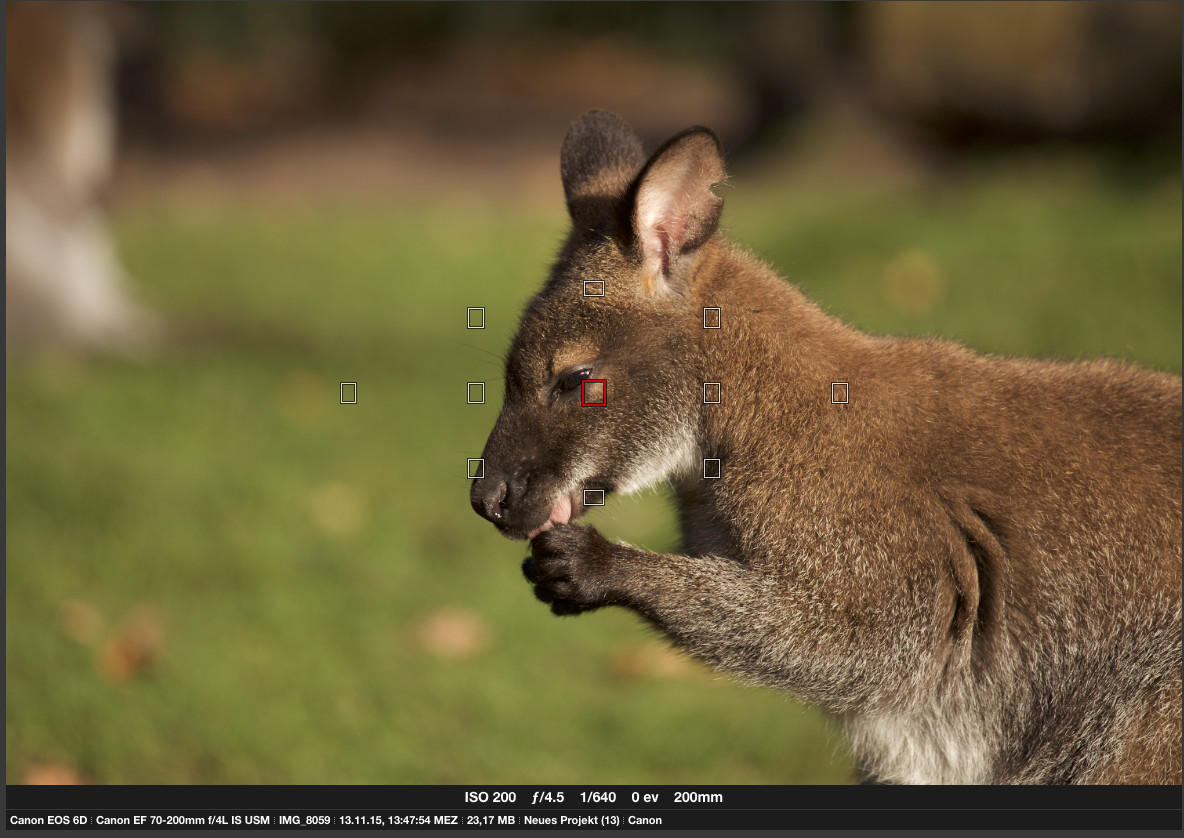
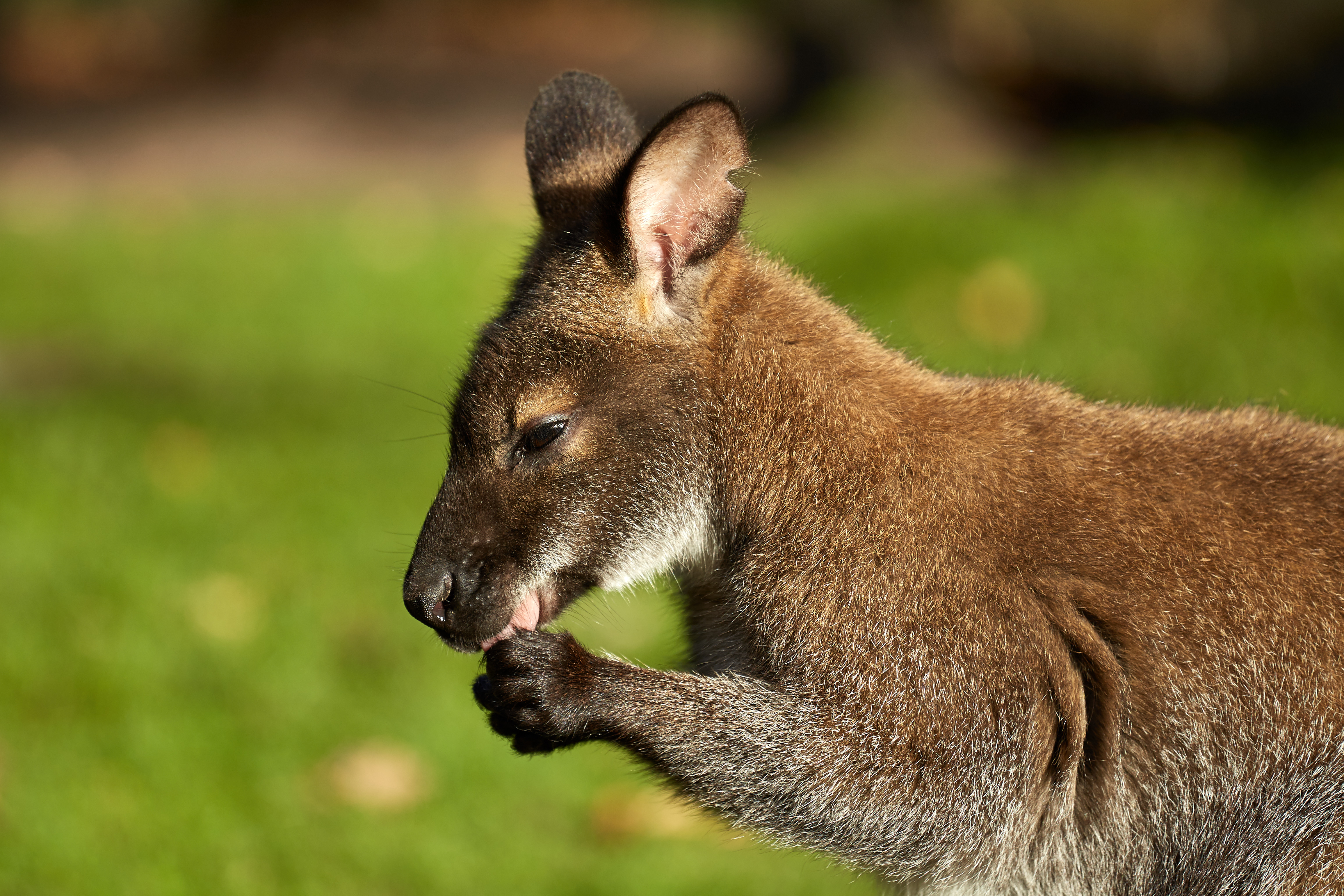
The most reliable method to render the desired subject sharp within a scene is to select the center autofocus point and shoot using One-Shot AF. The autofocus point is displayed in the viewfinder and on the screen; hold the camera so that the most important element is visible within this autofocus point.
For moving subjects, you should utilize Servo AF. In Servo AF, the camera focuses continuously as long as the shutter button is pressed halfway, even if a cat is running toward you.
Flash
Hundreds of books have been written on the subject of flash photography. Therefore, we provide just a few notes on terminology here and refer you to further sources regarding various flash lights.
Internal Flash
The flashes built into some cameras are only intended to provide fill light for subjects at close range. The software inside the camera also ensures that the flash is not triggered at all if the selected shutter speed is shorter than the flash sync speed (see Section 1.8.4).
Most of the time, these flashes also generate very harsh shadows, overexposed faces, and red eyes.
Flashes in Mobile Devices
Most mobile devices feature a small LED light that can be used as a flash when taking pictures. In reality, however, this is not a true flash but a (rather weak) flashlight, which is only suitable for fill light at extremely close range.
Activating this “flash” for landscape shots or inside a stadium is entirely useless.
Hot-Shoe Flash Units (Speedlights)
Hot-shoe flash units are external flashes that are mounted onto the camera’s hot shoe on compatible models. They typically feature their own power supply via batteries or rechargeable cells and are controlled via the electronic contacts inside the hot shoe.
Most camera manufacturers offer flash units tailored specifically to their camera systems, providing a wide array of control options. Such dedicated system flashes usually work on cameras from other manufacturers or older models as well, but often only with basic functions and manual settings. System flash units can mostly also be deployed for so-called off-camera flashing (Section 1.8.5).
Flash Sync Speed
A flash illuminates for a very brief duration; therefore, it must be triggered at a point in time when the shutter is completely open. The shortest shutter speed at which a focal-plane shutter fully exposes the film or sensor at a single moment is called the flash sync speed.
Off-Camera Flash
In off-camera flash photography, the flash unit is positioned at a suitable location away from the camera and is triggered wirelessly or via a cable, and sometimes controlled by the camera as well. Depending on the manufacturer and system, multiple flash units can be deployed to illuminate the scene according to the photographer’s wishes. This mostly takes place in professional and studio environments. Off-camera flash photography helps avoid red eyes and allows for better shadow control.
White Balance
White balance in a digital color photograph ensures that white surfaces in the photo are actually rendered as white. Digital cameras are normally configured to perform an automatic white balance. In the settings menus, you can switch between daylight, artificial light, etc., as required. Sometimes the automatic white balance reaches its limits (shots in the snow, during sunset, or under candlelight). If you want to make sure that the white balance can be easily corrected during post-processing, you should do the following:
- Leave the camera on Automatic White Balance (AWB),
- Shoot in RAW format,
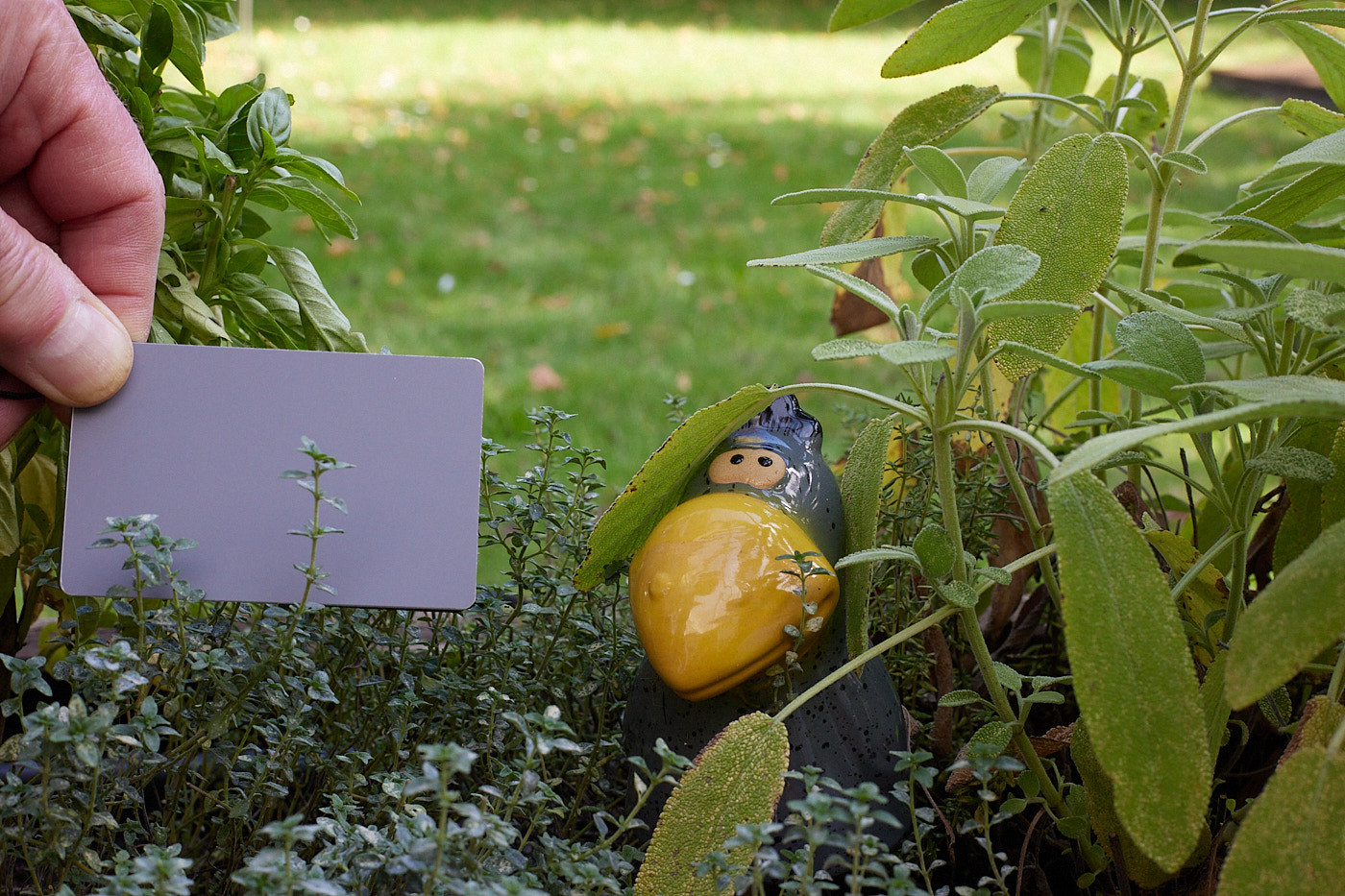
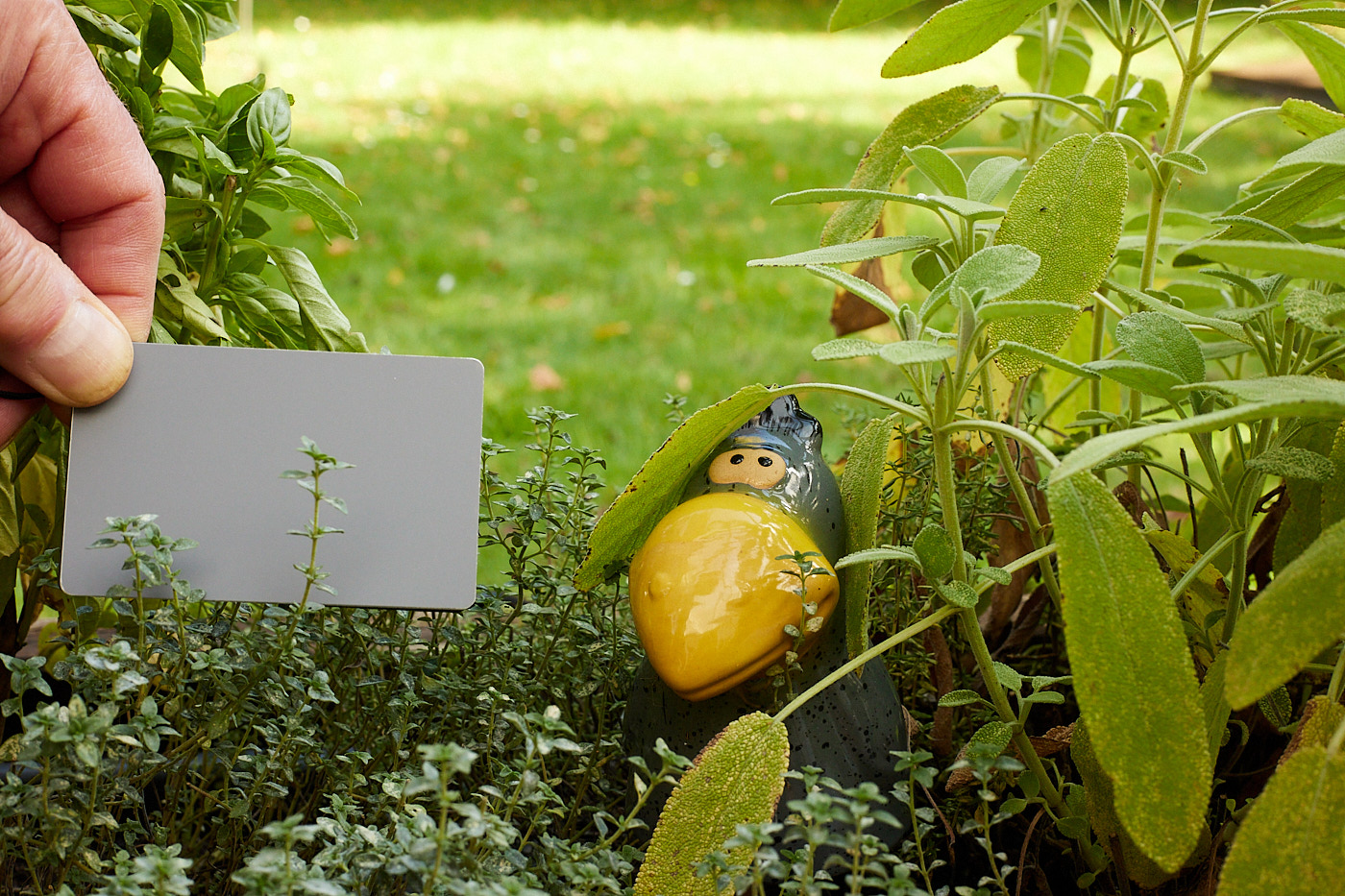
- Take test shots in the respective lighting moods using a gray card.
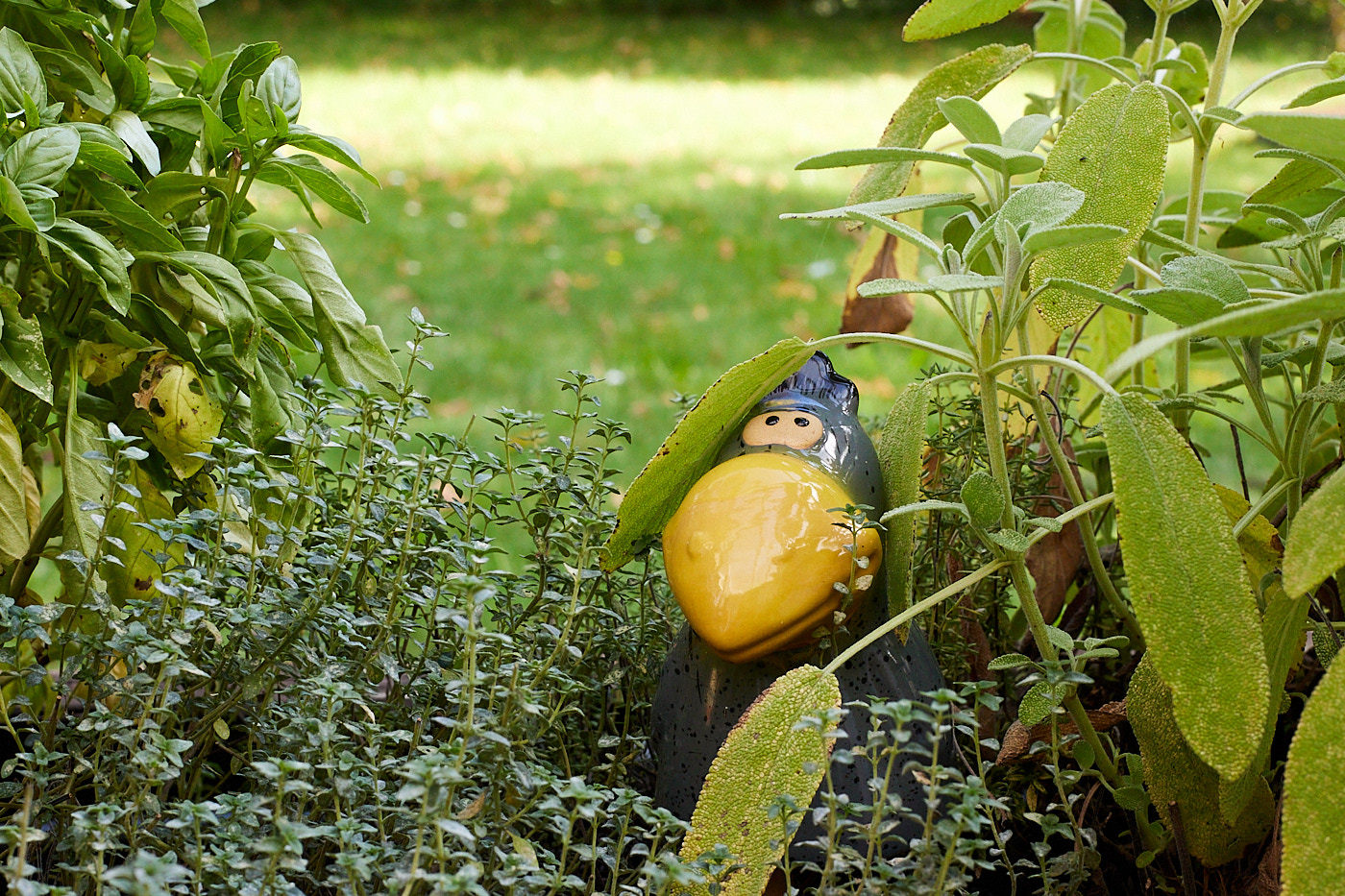
Gray Card
A gray card is a small, credit-card-sized gray card. The card is matte so that it does not reflect, and it is “precisely gray”.
Tonal Values
Tonal values refer to the distinct levels of brightness that can be differentiated within an image. The number depends on the sensor and the capture format (JPG or RAW).
Histogram
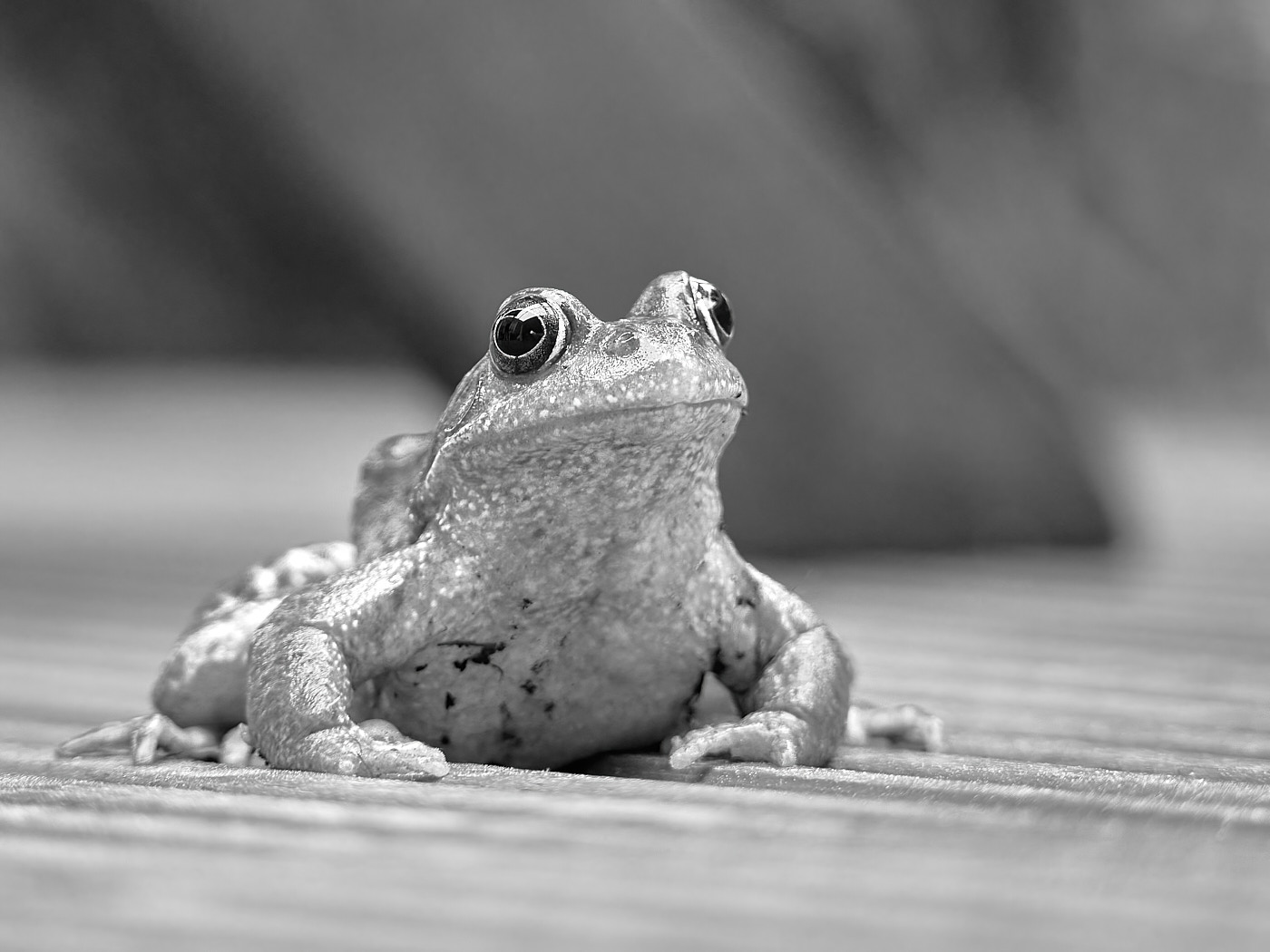
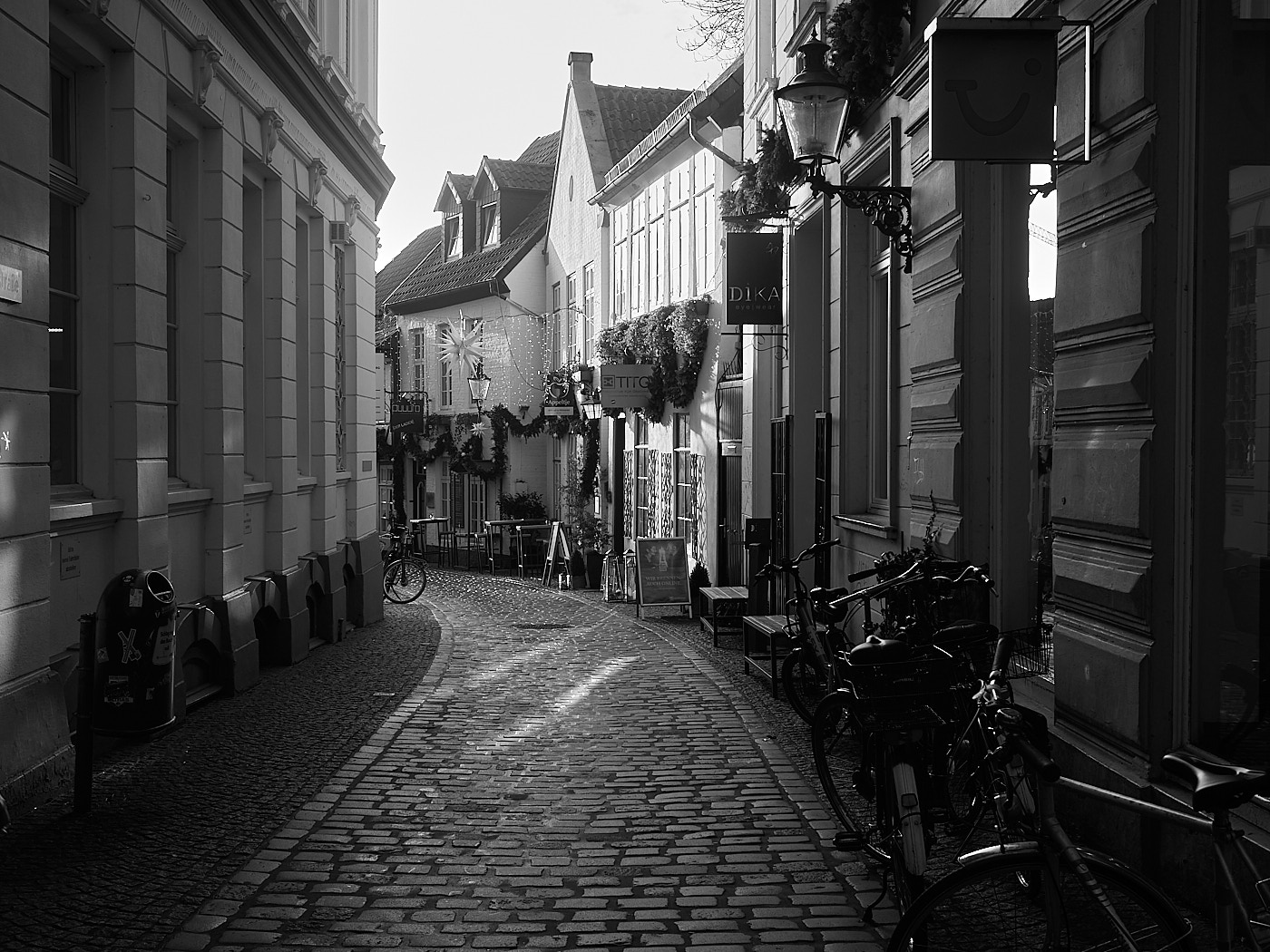
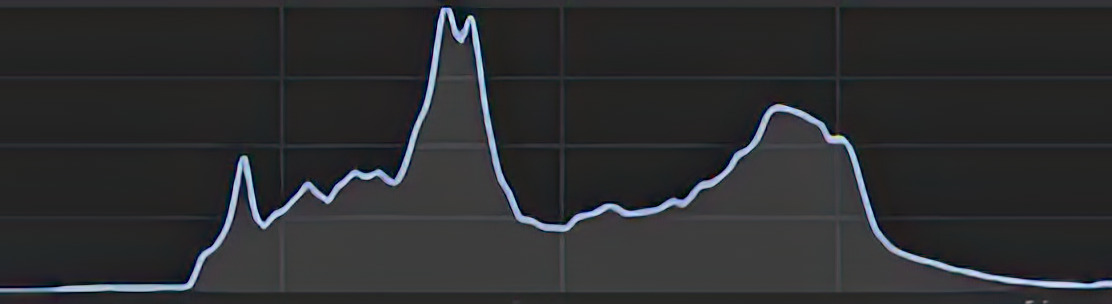
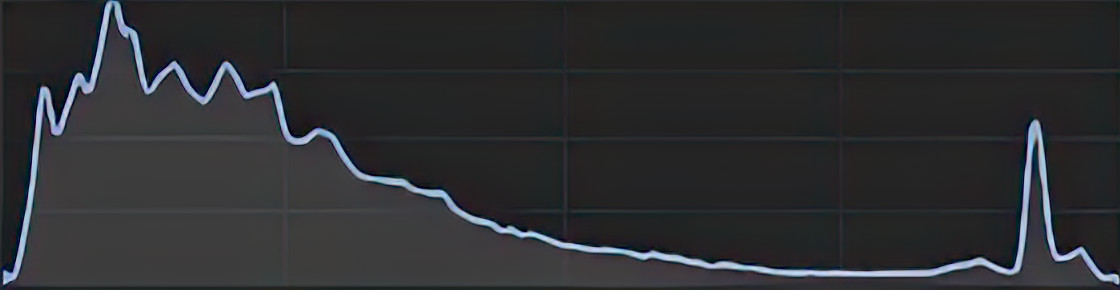
A brightness histogram is like a table of contents for an image. For each brightness value (tonal value) from black to white, it indicates how frequently it occurs in the image. Some cameras can display a live histogram on the screen. This allows you to see the distribution of brightness before taking the shot. This is useful because the camera has a limited dynamic range of tonal values. A shot is well-exposed when all tonal values are represented.
Expose to the Left
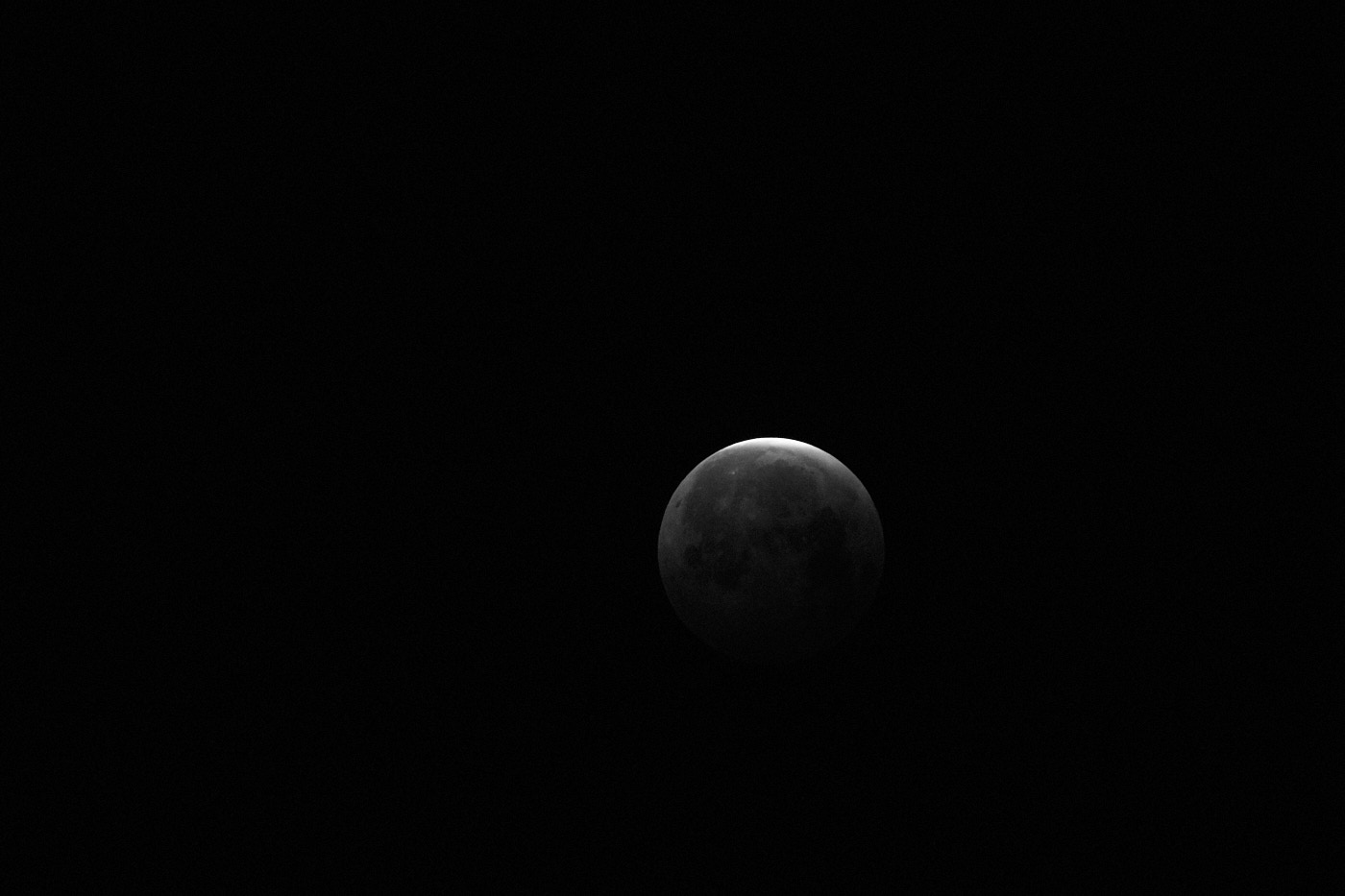
“Expose to the Left”, short ETTL, means that the histogram of the image is shifted toward the left side. The dark tonal values are pushed together and appear almost entirely black. There are more gradations for the bright tonal values and fewer for the dark ones. This is beneficial to:
- Avoid blown-out highlights,
- Achieve shorter shutter speeds with fast-moving subjects,
- Obtain lower-noise exposures, or
- Realize a low-key shot.
You achieve “Expose to the Left” via underexposure:
- A shorter shutter speed,
- A smaller aperture, or
- A lower ISO value.

Expose to the Right
“Expose to the Right”, short ETTR, means that the histogram of the image is shifted toward the right side. The bright tonal values are pushed together and appear almost entirely white. There are more gradations for the dark tonal values and fewer for the bright ones. This is beneficial to:
- Avoid crushed shadows, or
- Realize a high-key shot.
You achieve “Expose to the Right” via overexposure:
- A longer shutter speed, or
- A larger aperture.